Club Car Onward Fault Codes: Read & Fix Guide
The Onward doesn’t use one universal blink chart. Here’s how faults actually surface across dash, charger, and controller, plus the real Curtis 1236SE code table behind the motor-controller faults.
- The Onward is not one universal blink-count chart, faults surface differently on the dash, the ERIC charger display, and the motor controller.
- Club Car’s CCDT app is the most direct way to read stored faults, diagnostic trouble codes, and live data on HP lithium and AC-FLA Onward models.
- The numbered fault table below is Curtis 1236SE controller-family data, a real platform-level reference, not a promise every Onward dash shows the same number.
- Clearing a code is not the same as fixing the fault, an uncorrected cause simply re-triggers the same code within a drive cycle or two.
A Club Car Onward that won’t drive right is usually signaling a fault somewhere in its electronics. Onward diagnostics aren’t one universal blink-count chart, the platform spans Club Car IQ carts, later AC-drive carts, ERIC chargers, and HP lithium models, each exposing faults differently. This guide shows exactly where to look first and walks the documented Curtis 1236SE fault codes behind the most common Onward drive faults.
01. Read the Code Before You Touch Anything
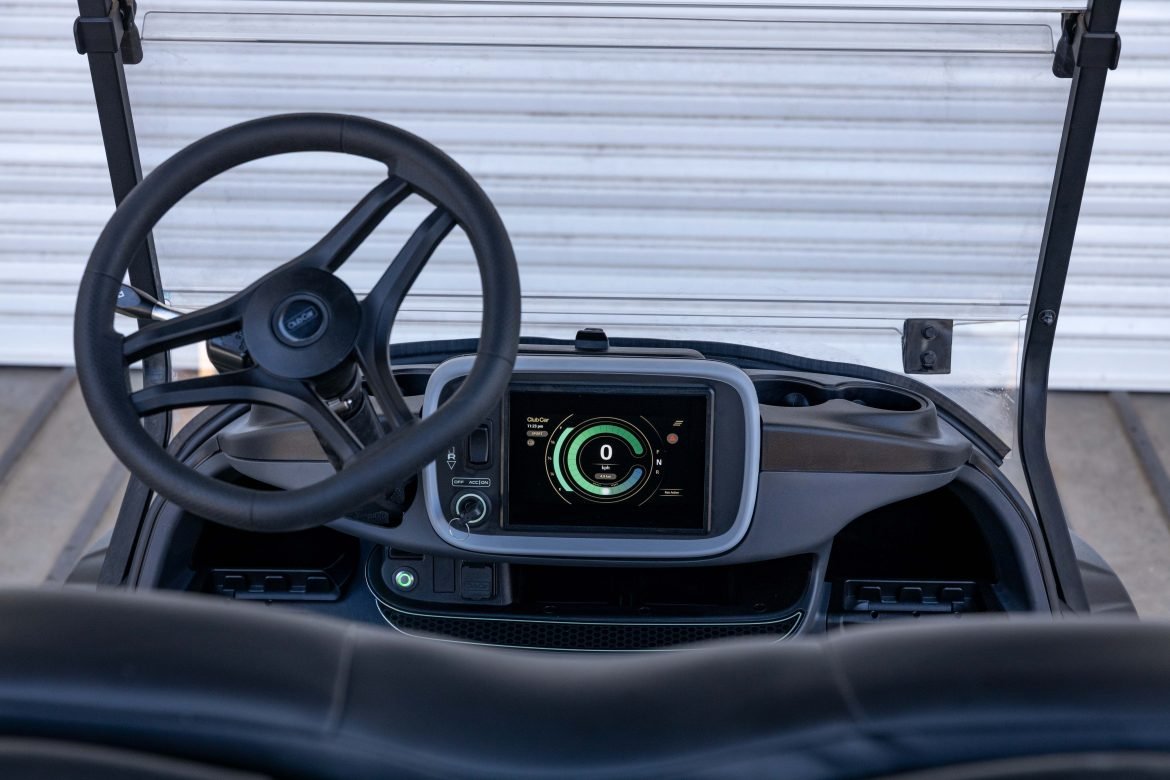
Onward diagnostics aren’t one universal blink-count chart. Older Club Car IQ carts, later AC-drive carts, ERIC chargers, and HP lithium models expose faults in different ways, so the useful first step is recording exactly where the fault appears: dash message, charger display, controller LED, or Club Car Diagnostics Tool (CCDT). That keeps this from turning into random part-swapping.
For HP lithium and AC-FLA Onward models, Club Car’s CCDT app is the most direct path, Club Car describes it as the tool for reading faults, diagnostic trouble codes, live data, ECU updates, and vehicle settings. If a dealer or technician pulls a stored code with CCDT, write down the module name as well as the number. A battery, VCM, charger, and motor-controller fault can reuse similar language but point to different parts.
If you want to be walked through the symptom side by side with the code, our golf cart troubleshooter tool branches by symptom, and the diagnosis mirrors the platform-wide logic in our Club Car Precedent no-power guide.
02. Common Club Car Onward Fault Codes
Use the table below in two layers. The first rows are Onward or ERIC charger display categories that Club Car publishes in operator literature. The numbered rows are Curtis 1236SE controller-family faults, useful when your Onward uses a matching Curtis AC controller family or CCDT reports the same motor-controller code. Treat those as platform-level motor-controller codes, not a promise that every Onward dash shows the same number.
| Code / Display | Verified Meaning | What to Check First |
|---|---|---|
| FAULT on HP lithium dash | Club Car publishes the warning category but not a public owner table for every stored fault number. | Record display, SOC, and when it appears. Read stored faults with CCDT before replacing battery, VCM, or controller. |
| ERIC red light constant | Charger fault condition. Club Car says to check the display panel for more information. | Stop charging, inspect cords and receptacle condition, then read the charger display code. |
| ERIC orange light flashing | External fault condition, more detail on the display panel. | Check AC supply, DC plug, battery connection, pack voltage, and receptacle condition. |
| ERIC F code | Internal charger fault stopped the charge process. | Do not keep cycling the charger. Club Car says to speak with a dealer or distributor. |
| ERIC E code | External fault stopped the charge process. | Check the vehicle side first: pack voltage, charger port, cables, correct battery algorithm. |
| ERIC P code / USB code | Program mode active, or USB receptacle active, flash drive should not be removed. | Let the programming or USB operation finish. Do not unplug the USB drive while active. |
| 22 | Controller over-temperature cutback. | Let the cart cool. Check brake drag, heavy load, oversized tires, blocked airflow, hard hill use. |
| 23 | B+ under-voltage cutback. | Charge fully, then load-test the pack. Look for weak batteries, lithium BMS cutoff, loose cables, voltage reducer short. |
| 24 | B+ over-voltage cutback. | Check charger profile and pack voltage. Avoid long downhill regen immediately after a full charge. |
| 31 or 32 | Main, coil-driver, or electromagnetic brake open or short, depending on controller configuration. | Inspect contactor coil, EM brake connector, driver wiring, dirty pins, bad crimps. |
| 36 | Encoder or Sin/Cos sensor fault. Controller may disable motor or EM brake. | Inspect motor speed-sensor plug, encoder wiring, water intrusion, motor RPM signal in diagnostics. |
| 37 | Motor phase open. | Check U/V/W motor cables, lugs, burnt terminals, rubbed-through phase wiring. |
| 38 | Main contactor welded. | Do not keep driving. Test contactor tips, look for alternate precharge paths or added accessories tied into B+. |
| 39 | Main contactor did not close. | Listen for the click, then test pack voltage at the contactor, coil command, fuse, and output side. |
| 41 or 42 | Throttle wiper high or low. | Inspect pedal sensor, 5V reference, signal wire, ground, water or corrosion at the pedal connector. |
| 47 | High pedal disable or sequencing. | Release the pedal, select neutral, key-cycle once, then test key, interlock, direction, and throttle inputs if it returns. |
| 51 to 67 | OEM-defined faults. Curtis explicitly points these back to vehicle-manufacturer documentation. | Use CCDT or dealer service data. Do not decode these from a generic table. |
| 73 | Stall detected. | Check whether the cart is mechanically stuck, the EM brake is holding, or encoder feedback is missing. |
| 77, 83, 87, 98, 99 | Supervisor, driver supply, motor characterization, illegal model number, or parameter mismatch faults. | Scan-tool faults. Suspect moisture, controller configuration, or software mismatch after wiring checks. |
| 92 or 93 | EM brake failed to set, or encoder limited operating strategy. | Inspect EM brake, release lever, brake wiring, speed sensor wiring, hill-roll behavior. |
03. Throttle and Solenoid Faults
A throttle fault on the controller-family table usually lands around 41, 42, or 47. The pedal sensor tells the controller how far the pedal is pressed; when the signal is too high, too low, applied before the key/interlock sequence, or dragged down by moisture, the cart may refuse to drive. Inspect the pedal sensor, connector pins, 5V reference, signal wire, ground, and any water path into the pedal box before buying a new sensor.
A solenoid or contactor fault is different. 38 points toward a welded main contactor, while 39 means the main contactor didn’t close. Listen for the click, then test voltage on both large terminals while the cart is commanded to move. A contactor can click and still fail under load if the tips are burnt, but a no-click condition sends you toward coil command, fuse, key/interlock logic, or wiring first.
04. ERIC, Interlock and Charging Faults
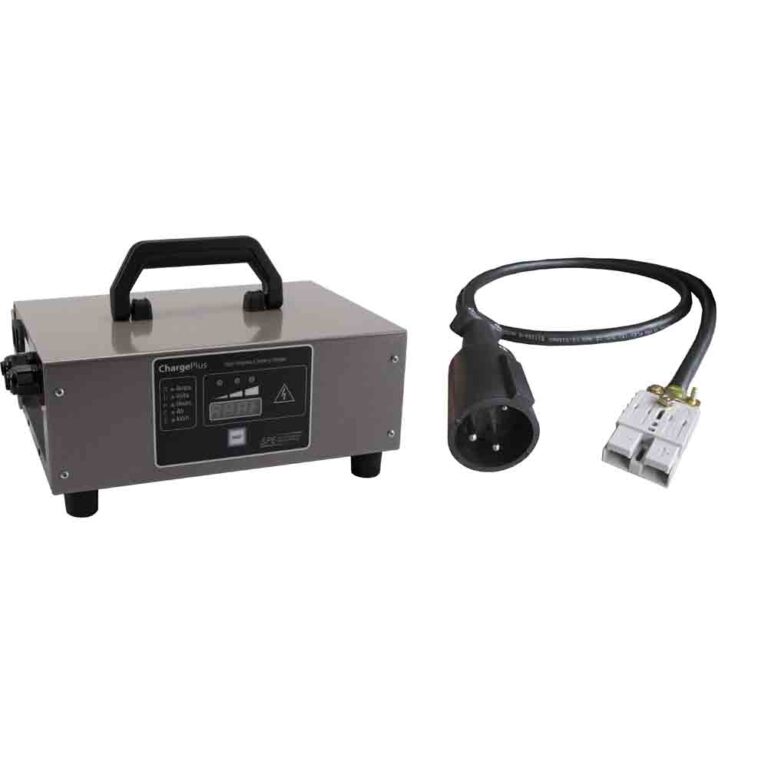
Most Onward electric charging diagnosis should start with the ERIC charger and charge interlock, not the older “reset the OBC” shortcut that applies to many legacy Club Car repairs. Club Car’s Onward HP manual identifies the ERIC IC650-048-COMM as a 48V nominal charger with status lights, display-panel codes, and a charging interlock that prevents vehicle operation while the charger is connected. An F code is an internal charger fault, an E code is an external fault, and a connected charger cord can intentionally lock out drive.
If the Onward won’t charge, keep the model-year distinction clear. The Club Car OBC bypass guide is useful background for older Club Car charging logic, but an ERIC-equipped Onward should be diagnosed from charger lights, display codes, AC supply, charger-port condition, battery voltage, and the correct charge algorithm. If specifically the charger won’t start, our Onward charger won’t kick on guide covers the minimum-voltage requirement that often masquerades as a fault.
05. Pack and Connections
A battery voltage fault is frequently a pack that reads fine at rest but sags under load, tripping the controller the instant you press the pedal. Load-test each battery individually, one weak cell drags the whole string down, and inspect every cable lug for corrosion and tightness, since a single high-resistance connection causes the same sag and the same fault code. For Onward-specific fault charts and wiring diagrams, Club Car’s official manuals and support library is the authoritative reference.
Clearing a code vs. fixing the fault: a point that trips up a lot of Onward owners is that clearing a fault code is not the same as repairing the cart. The controller stores the code as a record of what it detected, and on many faults the code clears on its own once the underlying condition is gone and the key is cycled. But if you clear or reset a code without correcting the cause, a misaligned throttle sensor, a dragging brake switch, a weak battery, the controller simply re-detects the same condition and re-logs the fault within a drive cycle or two. Treat the reset as your final confirmation step, not the fix.
When to reach for a diagnostic tool: most Onward faults can be read from the display or table above and fixed with a multimeter, but two situations justify a handheld diagnostic tool or a dealer visit. The first is an intermittent fault that clears before you can record it, CCDT can read stored history a simple display cannot show. The second is a communication or OBC fault that implicates the controller itself, where guessing means replacing the single most expensive part on the cart. In those cases, the cost of an hour of professional diagnosis is far less than the cost of a wrongly-replaced controller.
Record where the fault shows first, dash, ERIC charger, or CCDT, then test the indicated system: throttle/pedal sensor, solenoid/contactor, ERIC charger/interlock, or pack under load. Confirm with a meter, fix the real fault, and the code clears.
Frequently Asked Questions
Does the Club Car Onward flash a blink code like older carts?
Not as one universal chart. The Onward exposes faults differently depending on platform: HP lithium models show a dash FAULT message, ERIC chargers show colored lights and display codes, and the Curtis 1236SE-family motor controller uses numeric codes readable with Club Car’s CCDT app or a dealer scan tool.
What does an ERIC charger red or orange light mean?
A constant red light is a charger fault condition, check the charger display panel for detail. A flashing orange light is an external fault, typically pack voltage, AC supply, or connection related. Club Car’s Onward ERIC owner manual documents both.
Is code 29 a real Club Car Onward fault code?
Code 29 is discussed often around lithium Onward carts online, but it is not a published row in the public Curtis 1236SE controller translator. Treat it as Club Car or battery-system specific until Club Car’s CCDT app or a dealer confirms it against your exact cart.