Why an EZGO TXT Parking Brake Pops Off When You Press the Gas
The accelerator is designed to release the TXT parking brake. Learn what normal kick-off feels like, what premature release means, and which latch, cam, cable, and pedal checks are safe on level ground.
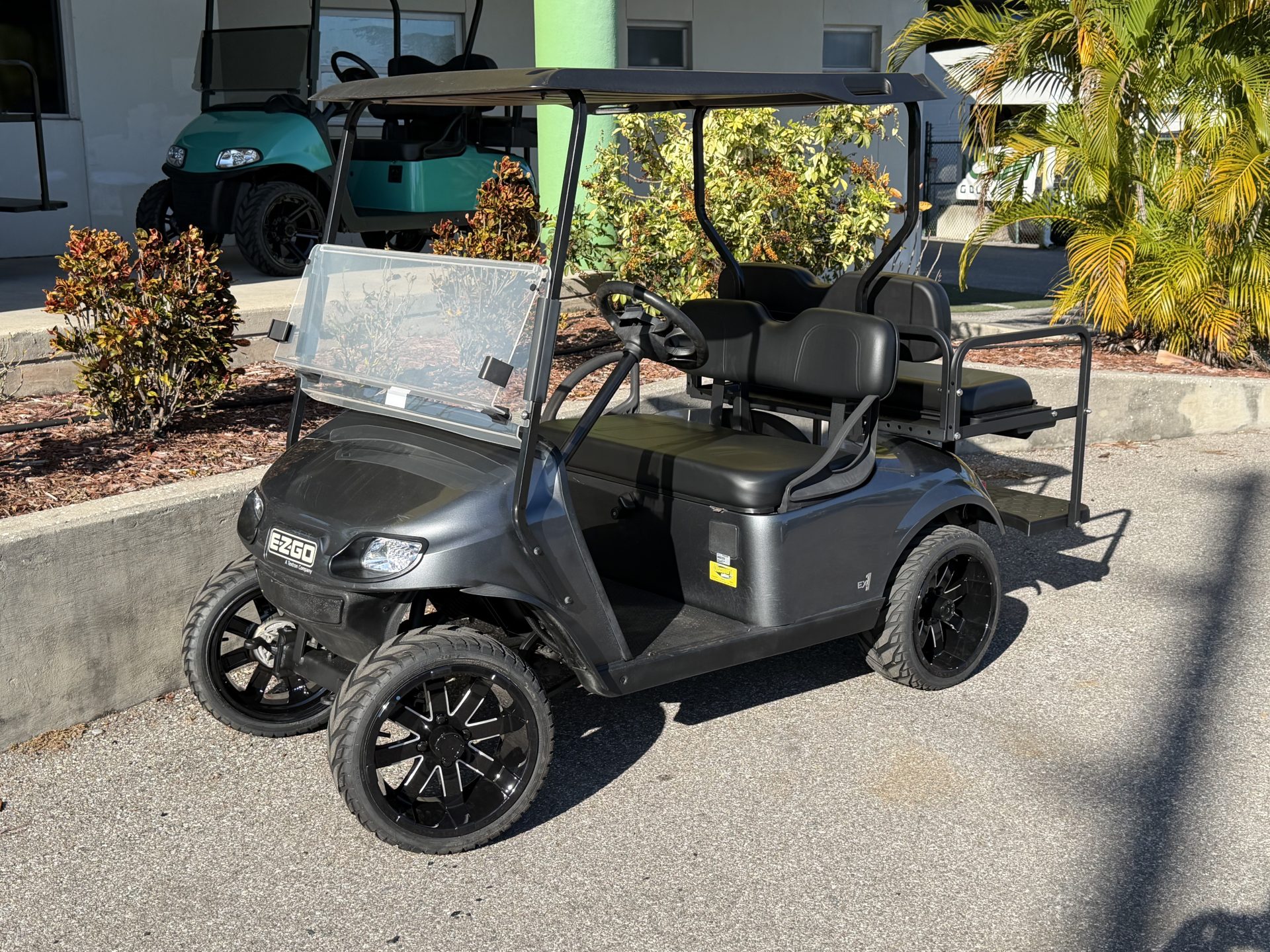
- Some pop-off is normal. The TXT accelerator kick-off cam is designed to release the latched parking brake.
- Timing and holding force matter. Immediate release, weak latching, or failure to release points to wear, obstruction, cable drag, or adjustment trouble.
- Inspect hardened latch parts. A worn catch bracket or latch arm should be replaced, not ground into shape.
- Test on level ground. Use wheel chocks and static checks. Do not use a slope to prove parking-brake performance.
An E-Z-GO TXT parking brake that pops off when the gas pedal is pressed is often operating normally. The service brake pedal carries the parking-brake latch, and the accelerator moves a kick-off cam that releases it before the cart drives. The fault is not the existence of the release. The fault is release at the wrong time, weak holding before release, or a mechanism that binds and will not release cleanly.
Understand the normal accelerator release
The E-Z-GO TXT uses a smaller parking-brake pedal attached to the service-brake pedal assembly. Pressing the parking pedal while the service brake is applied lets a latch arm engage a catch bracket. The brakes remain applied after the driver’s foot is removed.
The cited E-Z-GO repair manual describes two ways to release that latch. Pressing the upper service-brake pedal is the preferred release because it reduces wear. Pressing the accelerator also rotates a kick-off cam. The cam moves the latch arm away from the catch, and the spring-loaded parking pedal returns to its released position.
That means a clean pop when the accelerator begins to move is not automatically a defect. It is a designed convenience feature. The system still must latch firmly, hold during a static check, and release as the accelerator is depressed. Diagnosis begins with those three functions.
Park on firm, level ground, switch the key off, remove the key, select neutral where applicable, and chock the wheels before working at the pedals or under the cart. Never use a hill, ramp, or traffic area to test whether the parking brake holds.
Separate normal action from a fault
| Observation | Likely meaning | Next check |
|---|---|---|
| Latches firmly and releases as accelerator starts moving | Normal kick-off action | Confirm smooth pedal return and routine inspection |
| Releases with the slightest touch or before useful pedal movement | Cam gap, latch engagement, pedal bumper, or obstruction problem | Inspect the static relationship of cam and latch |
| Will not stay latched even before accelerator use | Worn catch, worn latch arm, poor brake adjustment, or cable issue | Inspect hardened latch parts and brake system |
| Accelerator moves but brake stays latched | Misadjusted or damaged kick-off cam, binding pivot, or latch problem | Disable cart and inspect pedal cluster |
| Parking pedal releases, but cart still drags | Cable, equalizer, wheel brake, or return problem | Diagnose the mechanical brake system |
A floor mat can imitate a linkage fault by touching the accelerator or preventing a pedal from returning. Loose trim, debris around the pedal pivot, and a bent pedal arm can do the same. Remove the obstruction before adjusting anything.
This is a mechanical TXT parking-brake guide. The E-Z-GO RXV uses a different electric motor-brake strategy. Use the RXV brake-lock guide for that platform rather than transferring TXT pedal adjustments.
Check the mechanism safely on level ground
- Chock the wheels. Chocks are the primary restraint during inspection, even when the parking brake is latched.
- Check service-brake feel. Press the service pedal and note free travel, smoothness, and whether the pedal returns without help.
- Latch the parking brake. Apply the service brake, press the parking pedal, and release both feet. The latch should engage positively rather than balancing on an edge.
- Use the preferred release. Press the upper service-brake pedal. The parking latch should disengage cleanly.
- Repeat for accelerator release. With the key off and the cart disabled, latch again and slowly press the accelerator by hand while watching the kick-off cam and latch arm.
- Stop if anything binds. Do not force the pedal or drive the cart to free a stuck latch.
Watch when the cam first touches the latch arm. The manual’s setup calls for zero gap between the top of the kick-off cam and the latch arm when the parking brake is engaged and fully latched. A large gap can delay release. Incorrect contact or a cam rotated too far can make release premature.
Inspect the latch, catch, cam, and springs
Clean enough dirt from the pedal cluster to see the contact surfaces. Inspect the catch bracket and latch arm for rounding, a chipped edge, twisting, or an engagement surface that no longer meets squarely. E-Z-GO identifies these as hardened parts and instructs replacement when worn or damaged. Grinding or filing changes the engagement geometry and surface hardness, so it is not a safe repair.
Check the kick-off cam for looseness on its pivot, damaged set screws, a cracked body, or evidence it has rotated. Inspect return springs and pivots for corrosion, distortion, and binding. The TXT pedal return-spring guide covers pedal spring identification and replacement details.
Operate each pedal by hand with the cart disabled. The parking pedal should return when released, the latch arm should move freely, and the accelerator should not drag the brake mechanism after kick-off. Lubricate only the locations and with the material specified by the service manual. Oil on a friction or latch surface can attract grit and alter engagement.
Check brake cables and pedal travel
A parking latch can be blamed for a brake system that is not adjusted well enough to create holding force. Inspect both brake cables for broken strands, flattened housings, melted areas, corrosion, and sharp bends. Each cable must move freely. The cited manual recommends replacing both cables and the equalizer as a set when a cable is damaged or cannot move freely.
Pedal free travel is model-year dependent. The service manual lists 2 to 2.25 inches for earlier vehicles and 7/8 to 1 1/8 inches for model year 2001 and later vehicles identified by a 1/4-inch hole in the lower latch arm. Those values should not be mixed. Identify the latch arm and model year before measuring.
If service-brake free travel is outside specification, follow the complete brake adjustment procedure before changing the parking latch. The parking brake uses the same cable and wheel-brake system to hold the cart. Excess free travel, a seized cable, or a wheel brake that is out of adjustment changes how deeply the latch engages.
Know the adjustment limits
Adjustment is appropriate only when the parts are sound. For kick-off cam position, the cited procedure fully engages and latches the parking brake, then sets the top of the cam to zero gap against the latch arm. Cam set screws are tightened to the manual’s specification. Replacement screws use a locking patch, so reusing damaged or contaminated hardware is not a casual shortcut.
The manual also gives pedal-bumper and latch checks that rely on illustrated reference points. Use those drawings for the exact vehicle. An adjustment made only by feel can create either premature release or a brake that remains applied as the cart starts moving.
Do not tighten cables simply to make the parking pedal feel stronger. Over-adjustment can keep the wheel brakes applied, overheat drums, reduce performance, and wear linings. After any brake work, rotate raised wheels by hand using the manual’s support procedure and verify release before a controlled level-ground test.
Choose the right repair
- Remove floor mats, debris, or trim that interferes with either pedal.
- Replace a worn catch bracket or latch arm rather than reshaping it.
- Replace damaged springs, pivots, or a cracked kick-off cam with compatible parts.
- Replace binding or frayed brake cables as the manual-specified set.
- Correct service-brake free travel before judging parking-latch adjustment.
- Use the serial-specific E-Z-GO procedure for cam and bumper settings.
When the latch holds correctly and releases normally, no repair is needed merely because the accelerator causes a pop. Use the service-brake pedal for routine release to minimize wear, as E-Z-GO recommends. If the cart creeps, rolls during a chocked static check, or drags after release, keep it out of service until the mechanical brake system is repaired.
The TXT accelerator linkage guide applies when the gas pedal itself sticks or fails to return. Keep that problem separate from a latch that releases at the wrong point.
The TXT parking brake is supposed to pop off as the accelerator moves. It becomes a fault when the brake will not latch firmly, releases before the documented cam action, stays applied after kick-off, or has worn hardened parts. Inspect first, adjust only sound components, and verify everything on level ground with wheel chocks.
Frequently Asked Questions
Is an E-Z-GO TXT parking brake supposed to release with the gas pedal?
Yes. The accelerator operates a kick-off cam that moves the latch arm and releases the parking brake. Pressing the service-brake pedal is the preferred release method.
Why does my TXT parking brake release too easily?
Possible causes include incorrect cam or bumper position, shallow latch engagement, worn hardened latch parts, excessive brake free travel, or an obstruction at the pedals.
Can I file the parking-brake catch so it holds better?
No. E-Z-GO identifies the catch bracket and latch arm as hardened parts. Replace worn or damaged pieces rather than grinding or filing them.
How should I test a TXT parking brake safely?
Use firm level ground, switch the cart off, remove the key, and chock the wheels. Perform static latch and release checks without using a hill.
Why does the brake still drag after the parking pedal pops up?
A binding cable, equalizer, wheel brake, pivot, or return spring can keep the mechanical brakes applied even though the latch released.
Updated September 2026: Rechecked against the brake and pedal-cluster procedures in E-Z-GO TXT 48V Repair and Service Manual 614279.