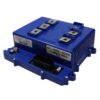
Alltrax AC1 650A Controller for ICON 20/40/60/80L, 48V
- Alltrax AC1 650A controller-only SKU for ICON 20/40/60/80L
- ICON 40/60L, model year 2023 and newer, with the factory 48V AC drive. For a 20, 80, 2022, or uncertain label, send us a controller-label photo before ordering.
- USB programmable; cart-specific connector/application
- Fitment verification available before ordering
Controller only$1,110.00


Express checkout options available at checkout
Not sure it fits? Find the controller that fits your cart in the Replacement Controller Finder.
- Free ground shipping over $199, lower 48. No sales tax.
- 30 day returns
- Email support
Overview
This Alltrax AC1 controller is the 650A application for ICON 20/40/60/80L. It is a cart-specific AC drive component, so identify the existing controller and connector before ordering.
This is the controller-only SKU. It is not a complete motor conversion kit.
- Voltage
- 48V
- Controller
- 650A
Compatibility
Fits
- ICON
- Voltage
- 48V
Does not fit
- Carts that still run a factory DC drive system
- ICON carts converted to 72V
- ICON carts whose controller label or connector does not match this application
Not certain? Send us the cart model, pack voltage, and a clear photo of the controller label and main connector. We will verify the application before you order. support@golfcartlab.com
How to confirm it fits
Confirm the cart make, model and year.
Confirm pack voltage and whether the existing drive is AC or DC.
Read the controller label and count the main connector pins where the application calls for 23 or 35 pins.
Send us label and connector photos if any item is unclear.
Buying guide: A Beginner’s Guide to Replacing a Failed Golf Cart Controller
What's in the box
- One Alltrax AC1 650A controller configured for the ICON application
Completes the install
Optional
Specifications
- Alltrax
- 88-AC1-72650-ICON
- AC1
- 650A for 30 seconds
- 24-72V models; application limits above still apply
- USB from a Windows computer; mobile app availability depends on controller build and current Alltrax support
- ABS thermal-plastic enclosure
- New
- 2-year Alltrax AC controller warranty
Shipping weight and box dimensions: not published. We confirm them before dispatch.
Requirements and install notes
Match the existing controller label and connector before installation.
Disconnect the battery pack and follow the Alltrax application manual.
Use correctly rated cables, fuse, contactor and mounting hardware for the application.
Have a qualified golf cart technician install and program the controller if you are not comfortable working on the traction system.
FAQ
Which carts does this controller fit?
The 48V ICON 40 and 60L from model year 2023 on, with the factory AC drive. For an ICON 20, 80 or 2022 cart, send us a photo of the controller label and we will confirm it. It does not fit an ICON that still runs a DC drive or one converted to 72V.
Is this a complete kit?
No. It is the controller only, configured for the ICON. The mounting kit, wiring kit and FN control are not included, and the cart keeps its own AC motor. For the full package, choose the AC1 kit for ICON.
Does it work on a 72V ICON?
No. This application is for the factory 48V AC drive, and ICON carts converted to 72V are not covered.
How is it programmed?
Programming is over USB from a Windows computer. Whether the phone app works depends on the controller build and current Alltrax support.
Warranty
Alltrax publishes a 2-year warranty for AC motor controllers. Proof of purchase is required. Incorrect application, wiring, voltage or installation can void coverage.
Manufacturer part reference
- Manufacturer part number
- 88-AC1-72650-ICON
- GCL SKU
- 88-AC1-72650-ICON