Advanced EV Golf Cart Won’t Charge: Charger, Port, BMS, and Pack Checks
Diagnose an Advanced EV that will not charge by matching the charger to the battery label, checking the receptacle, waking the lithium pack, respecting cold-charge limits, and measuring before replacing parts.
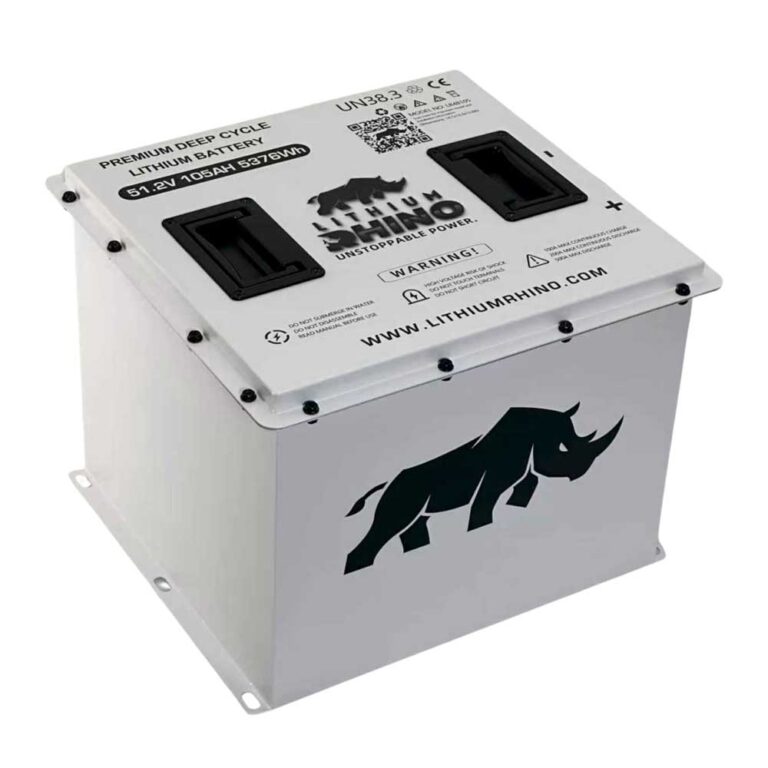
- Eco Battery Advent bundle data verifies 51.2V lithium options, CAN charging, and a 38V to 51V 15A CAN charger in that kit.
- Charging below 32F is blocked on Eco Battery specs, so cold storage can look like charger failure.
- A damaged receptacle, loose pin, or poor ground can stop charging before the battery is involved.
- Measure charger output and pack voltage before replacing the charger or battery.
An Advanced EV golf cart that will not charge can have a charger problem, a receptacle problem, a sleeping lithium pack, a cold battery, low pack voltage, CAN communication trouble, or simply the wrong charger for the installed battery. The label on the battery and charger is the first source, not a generic voltage assumption.
Confirm the Charger Matches the Battery
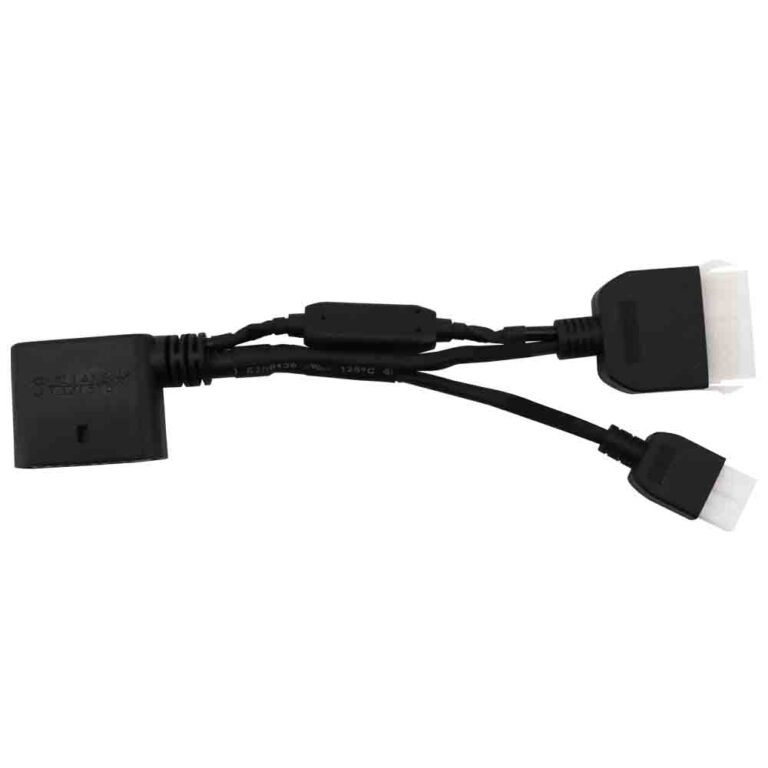
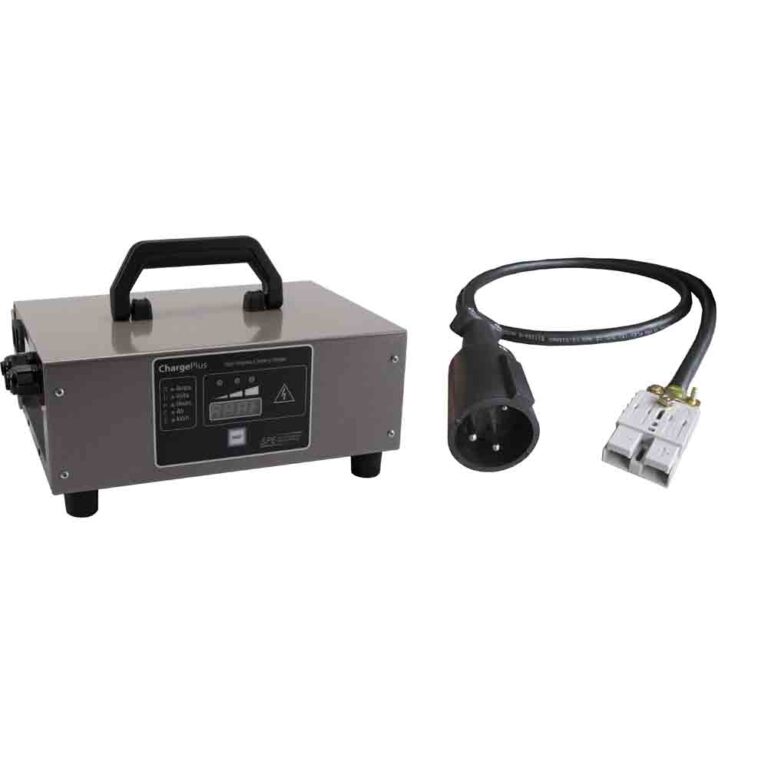
Start by reading the battery and charger labels. Eco Battery’s Advanced EV Advent bundle lists a 51V 105Ah LiFePO4 battery, a 38V to 51V 15A CAN charger, a controller CAN adapter, charger pigtail, CAN cable, CAN resistor pass-through, and remote wake-up kit. That bundle data is useful for Eco-equipped Advent carts, but it should not be applied to a different battery without label confirmation.
| Label item | Why it matters | What to do |
|---|---|---|
| Battery voltage | The charger output profile must match pack voltage | Do not use a random 48V or 72V charger. |
| Chemistry | Lithium and lead-acid charging profiles differ | Match LiFePO4, lead-acid, or other chemistry exactly. |
| CAN communication | Some lithium systems expect charger-to-BMS communication | Check CAN cables, adapters, and resistors if equipped. |
| Connector | Correct voltage still fails if the plug or pigtail is wrong | Inspect pin fit, polarity, and heat damage. |
Inspect the Receptacle Before Blaming the Charger
A charge port failure can mimic a dead charger. Look for pushed-back pins, melted plastic, loose sockets, corrosion, water, or a pigtail that has pulled loose behind the receptacle. If the charger flickers when the plug is moved, fix the port and wiring before buying a charger.
- Unplug AC power before inspecting the receptacle.
- Check the port shell, pin tension, and heat marks.
- Confirm continuity from charge port to battery path where service data allows.
- Wiggle-test gently only while observing voltage safely, not by forcing the plug.
Wake the Pack and Respect Temperature Limits
Eco Battery specs list 32F+ charging temperature for the relevant Gen3 batteries and discharge down to -4F to 140F. That means a cold battery can power some functions yet refuse charge. Warm the battery core above the charging limit before calling the charger bad.
| Condition | Likely response | Next move |
|---|---|---|
| Cold battery below charging limit | BMS refuses charge below the 32F+ charging range Eco publishes for Gen3 batteries | Warm the battery before retesting. |
| Deeply discharged or sleeping pack | The charger may not start normally until the BMS wakes | Use the battery maker wake procedure. The Eco Advent bundle lists A-4220 remote button battery wake-up kit when that bundle is installed. |
| Wrong charger profile | No charge, fault, or unsafe charging behavior | Eco lists A-1055 as a 38V-51V 15A CAN charger for Eco Batteries in that voltage range. Stop if the charger label does not match the installed battery. |
| CAN communication missing | Lithium charger may not handshake with the BMS | The Advent bundle lists A-3123 controller CAN adapter, A-4113 5-pin CAN cable, and A-4209 CAN resistor pass-through. Inspect those parts before replacing the charger. |
| A-1055 LED or display shows no-load, fault, or communication failure | Exact public LED legend was not verified for A-1055 | Do not invent a blink table. Check the charger case label, included charger manual, EB Power app or dealer diagnostic data, and confirm AC input, pack voltage, port pins, and CAN continuity. |
Take Readings Before Buying Anything
- Record battery label, charger label, connector type, and whether the charger is Eco A-1055 or another model.
- Confirm AC power at the outlet and charger input.
- Check whether charger LEDs or display show a fault, no-load, ready, or CAN-related message, then compare it with the charger label or manual instead of a generic internet blink table.
- Measure pack voltage at the battery, then at the charge-port battery side if accessible.
- Inspect charger plug, port pins, A-3123 CAN adapter, A-4113 CAN cable, A-4209 resistor pass-through, and battery wake state if the Eco Advent bundle is installed.
- Retest only after temperature and state-of-charge conditions are reasonable.
If the charger starts and then stops immediately, the pack may be full, asleep, too cold, too low, or refusing charge through the BMS. If the charger never starts, inspect AC input, charger fuse or label-indicated protection, port, connector, and CAN path before blaming the battery.
What It Usually Comes Down To
The most common no-charge paths are wrong charger, poor port contact, loose pigtail, cold battery, sleeping BMS, deeply discharged pack, missing CAN handshake, or failed charger. The verified Eco Advent bundle gives real part names for the path: A-051105-01 battery, A-1055 38V-51V 15A CAN charger, A-3123 CAN adapter, A-4008 charger pigtail, A-4113 CAN cable, A-4209 CAN resistor pass-through, and A-4220 wake kit.
Do not guess charger voltage or LED meanings. Match the charger to the installed battery, inspect the port, wake the pack correctly, verify CAN parts if equipped, and use the charger label or manual for any LED fault pattern.
Frequently Asked Questions
Why will my Advanced EV charger not start?
The charger may not match the battery, AC input may be missing, the charge port may be damaged, the lithium pack may be asleep, the battery may be too cold, CAN communication may be missing, or the charger may need diagnosis using its own label or manual.
Can cold weather stop an Advanced EV lithium battery from charging?
Yes. Eco Battery specs list 32F+ as the charging temperature range for the relevant Gen3 batteries, so the BMS can refuse charge when the battery is too cold.
Can I use any lithium charger on an Advanced EV?
No. Use a charger matched to the installed pack voltage, chemistry, connector, and BMS communication requirements. For the Eco Advent bundle, the listed charger is A-1055, a 38V-51V 15A CAN charger.