Star EV Golf Cart Beeping or Blinking: Causes & Fix
A beeping Star EV may be giving a normal reverse warning, a low battery alert, a charger reminder, or a fault warning, read against Capella, Sirius, and Lester Summit II documentation instead of a guessed beep-count table.

- The Capella owner manual confirms the reverse warning buzzer activates when the direction selector is moved to R, an FMVSS 141/500 requirement, not optional.
- Star does not publish a universal beep-count-to-fault table, use the documented display warnings and LED states instead.
- The Sirius manual says a parking-brake display symbol means motor power is shut down until the brake is released.
- The Lester Summit II charger uses a red FAULT LED, yellow Charge Status, and green Charge Complete, plus a ChargerConnect app for fault descriptions.
- Star’s lithium manual sets the battery warning threshold at 10 percent SOC stop-driving and 5 percent minimum discharge.
Because the Capella is a modern LSV-style cart, audible warnings can come from safety, battery, charger, and controller systems. Identify when the beep happens before trying to stop it, this guide uses Star EV’s own Capella, Sirius, and Lester charger documentation rather than inventing a beep-count table Star does not publish.
01: Is the Beep a Warning or Just a Feature?
A steady alert only in reverse is normally the reverse warning. The Capella owner manual says the reverse warning buzzer activates when the direction selector is moved to R. That owner-manual detail pairs with the LSV legal baseline: FMVSS 500 points low-speed vehicles to required alert-sound behavior under FMVSS 141, so do not disable a street-legal cart’s safety warning just because it is annoying.
Repeating beeps with a dash warning, no drive, or reduced speed are different. Star does not publish one universal public beep-count-to-fault table for every Capella and Sirius year. The best substitute is to read the documented indicators: Capella manuals show display warnings and lithium battery LEDs, while the Sirius manual documents the digital display brake symbol, low and high speed icons, battery status indicator, and Lester Summit II charger behavior.
- Reverse only: Normal safety buzzer.
- Battery icon or low power warning: Charge and test the pack before replacing drive parts.
- Fault or check-engine style warning: Record the exact display message and use the error code guide.
- Brake warning: Release the brake fully before testing drive.
02: Match the Beep to Its Cause
Triage the sound with the table below. This avoids inventing beep counts that Star does not publish publicly.
| Pattern | Verified Source Clue | Action |
|---|---|---|
| Only in reverse | Capella manual: reverse warning buzzer activates in R. | No repair unless the buzzer sounds in other gear positions. |
| Beep plus brake symbol or no drive | Sirius manual: parking brake display symbol means motor power is shut down until brake is released. | Release the parking brake and inspect the brake switch or pedal return. |
| Beep plus battery warning | STAR lithium manual: charge below 10 percent SOC and avoid discharge below 5 percent. | Charge fully, inspect terminals, and check the BMS or battery app if equipped. |
| Beep or blink while plugged in | Lester Summit II manual: red fault LED and ChargerConnect app provide the fault description. | Use the charger LED/app, not a guessed beep code. |
| Fast turn-signal blink | Sirius and Capella manuals describe LED lighting and turn indicators, but not a universal beep count. | Check the failed lamp, LED module, socket, or ground on that side. |
03: Reading Battery, Charger, and Brake Alerts
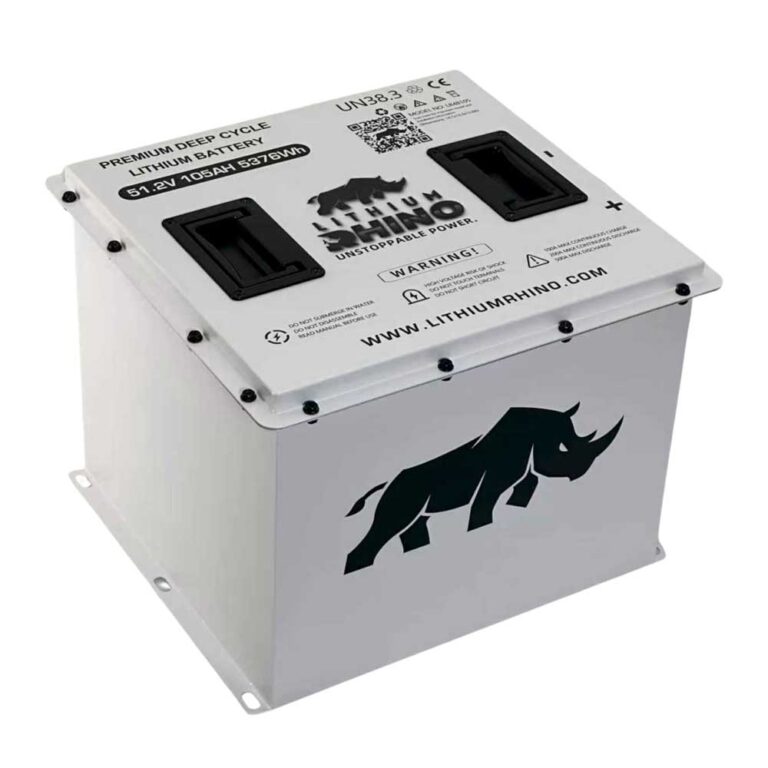
These three account for most non-reverse Star EV beeping complaints, and the order matters. Battery first, because Star publishes clear lithium thresholds: stop driving and charge at 10 percent SOC, avoid discharge below 5 percent, and do not charge below 32°F. If the beep appeared after storage, remember that the lithium pack can sleep after 1 hour of key power with no driving and may need a key cycle plus the battery power button on 80Ah, 105Ah, and 160Ah packs.
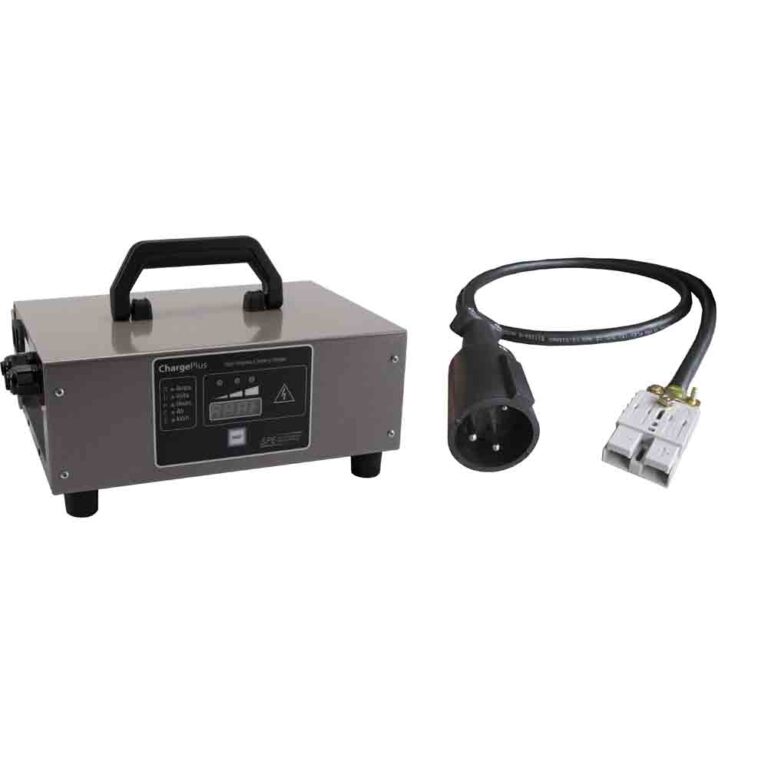
Charger second. The Sirius owner manual names the Lester Summit II 1050W 22 Amp charger for Sirius lithium charging, while the Lester manual explains that the Fault LED is red, Charge Status is yellow, and Charge Complete is green. It also says the ChargerConnect app can show fault descriptions, battery voltage, output current, SOC, and battery temperature when supported. If the sound or blinking happens only while plugged in, use the charger lights and app before assuming a cart-side BMS beep.
Brake last, but do not skip it. The Sirius manual says a parking-brake symbol on the instrument display means the vehicle is secured and motor power is shut down until the brake is released. A brake switch that only half releases can create a no-drive or warning condition that feels electrical. Confirm the pedal returns cleanly, then move to the no movement guide if the cart still will not drive.
04: When Lights Blink and the Cart Will Not Move
- Exterior lights: Fast blinking on one side usually means the lamp, LED module, socket, or ground on that side is wrong. The Sirius manual describes LED headlamps, taillights, mirror indicators, and hazard flashers, so later Star EV lighting faults should be diagnosed at the LED assembly and ground path rather than as an old bulb-only flasher problem.
- Dash icon: Photograph it before a key cycle. Public Star documents support display indicators and alert paths, but they do not give owners a single beep-count decoder.
- No drive: Use the no movement guide.
- Reduced speed: Use the reduced speed guide after recording the warning.
- Charger blink: On a Lester Summit II, a red fault pattern means the charger or battery fault needs to be read through the charger table or ChargerConnect app. Disconnecting the charger from the battery clears faults, and on an on-board charger removing AC power also clears a fault.
Star EV beeps are messages, not nuisances. Reverse beeping is normal and required by FMVSS; warning beeps with icons or drive symptoms should be diagnosed by system using the documented Capella/Sirius display indicators, lithium LED states, and Lester charger fault lights, not an invented beep-count table.
Frequently Asked Questions
Why is my Star EV golf cart beeping?
A beep in reverse is normal. Repeating beeps with a warning icon usually mean low battery, charger issue, brake switch issue, or controller fault.
Can I turn off the Star EV reverse beep?
It should stay active because it is a safety warning. Do not disable safety alarms on a street legal cart.
Why are my Star EV lights blinking fast?
Fast blinking on one side usually points to a lamp, LED module, socket, or ground issue on that side. Star EV switched to LED signals on the later Capellas, so a hyper-flash there means a failed LED module or its ground rather than a blown filament.