Star EV Golf Cart Error Codes: Read & Fix
Star EV does not publish one universal numeric fault table, but the Capella touchscreen, lithium LED states, and Lester charger lights each carry documented meanings. Here is how to read what the cart is actually telling you.
- No public Star EV owner manual publishes a universal numeric code table across every Capella, Sirius, and Lunar model.
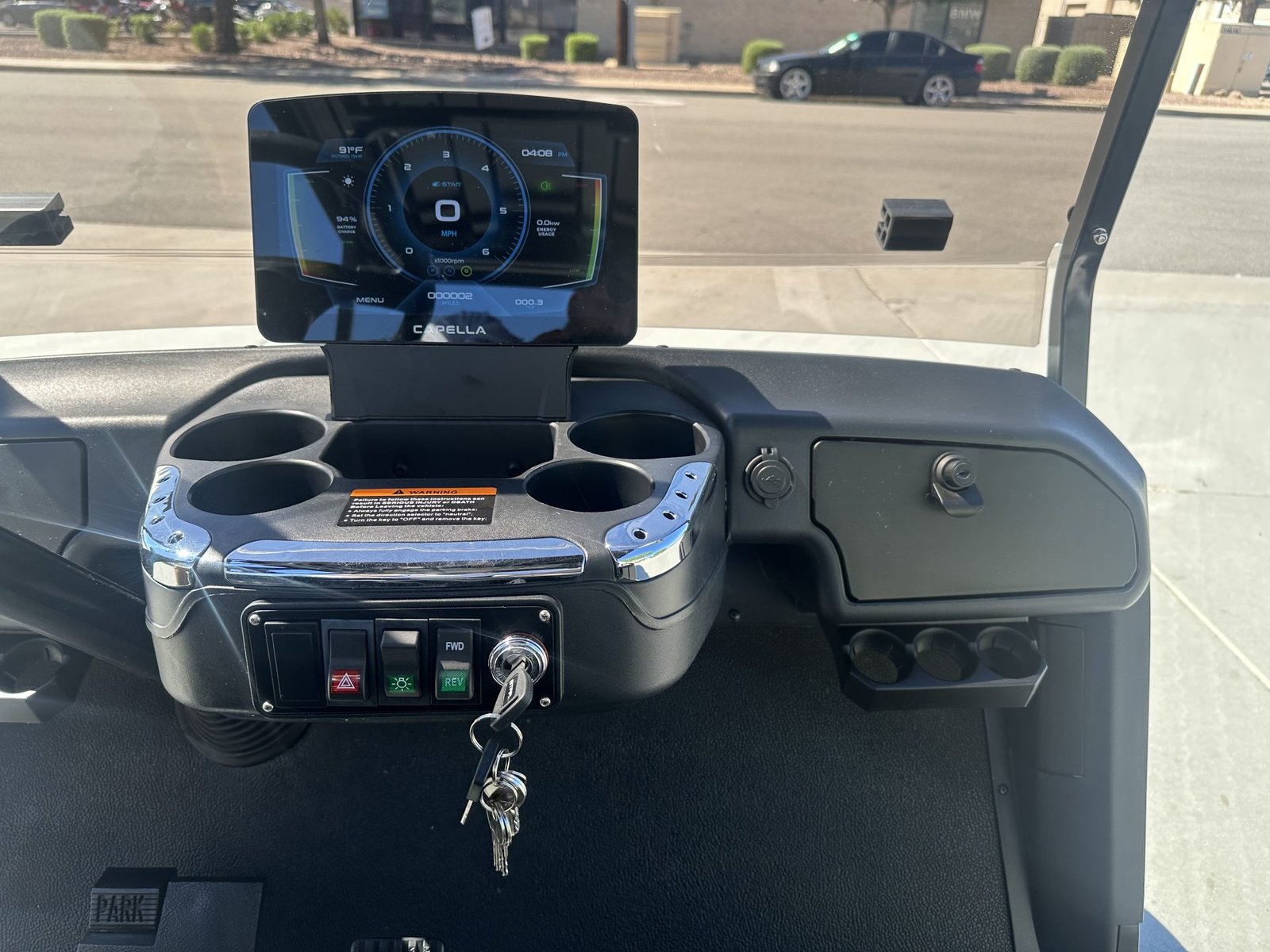
- The Capella touchscreen has a Check Engine item labeled Alert Code(s) and a dedicated ERROR CODE screen.
- Lithium LED states (red FAULT, yellow CHARGE STATUS, green CHARGE COMPLETE) are documented for Capella and Sirius.
- A Lester Summit II red flashing light means a fault occurred, slow flashing needs deeper troubleshooting than quick flashing.
- The Capella common-fault table cites controller shutdown above 75°C during overloaded hill climbing.
The Capella uses controller, battery, charger, throttle, and brake inputs to decide whether it should drive normally. A warning is not the repair, but it points to the circuit to test first. For Star EV error codes, the honest first step is separating official public data from dealer-only scan data, and using the documented screens, LEDs, and fault rows that Star EV actually publishes.
01: Log the Fault Before You Clear It
Take a photo and write down what the cart was doing. A warning while charging should not be diagnosed like a warning under throttle. No public Star EV owner manual publishes a universal numeric code table for every Capella, Sirius, Lunar, Classic, and older Star model. What the Capella manual does publish is a dashboard path: the touchscreen has a Check Engine item labeled Alert Code(s), and an ERROR CODE screen that says displayed codes guide you to the source of engine alerts or operational malfunctions. That means the cart may show a real code, but the public owner manual does not give owners a complete number-to-repair chart.
- Photo: Capture the exact icon, wording, number, and screen.
- Timing: Startup, charging, driving, and hill faults point to different systems.
- Key cycle: If it returns after one cycle, treat it as active.
02: Turn the Warning Into a Circuit
The best public Star EV data is not a universal numeric table, it is a set of documented screens, LEDs, and fault symptoms. Use the table below to decide what you can read yourself and what requires a dealer scan or the STAR Smart Lithium app.
| What You See | What Star Publishes | What To Do |
|---|---|---|
| Capella touchscreen Check Engine item | Capella manual lists Check Engine as Alert Code(s), and says the ERROR CODE screen guides the source of alerts and operational malfunctions. | Photograph the exact code screen and give it to the dealer, do not translate a number from another brand. |
| STAR lithium battery LEDs | Capella and Sirius manuals publish red FAULT, yellow CHARGE STATUS, and green CHARGE COMPLETE LED states for charge phases and Bluetooth connection. | Use the LED table in section 03 before replacing a charger or battery. |
| Lester Summit II charger red flashing | Lester support says red flashing means a charger fault occurred, slow red flashing needs deeper troubleshooting. | Use ChargerConnect or the charger manual. For no-charge symptoms, use the charging guide. |
| Slow or stopped on a climb | Capella common-fault table says overload can drive controller temperature higher than 75°C and trigger shutdown protection. | Reduce load, let the controller cool, then check for brake drag and battery state. |
| No movement or no accessories | Sirius troubleshooting lists discharged battery pack, charger lights, key switch position, F and R neutral procedure, and parking brake as no-move checks. Capella common-fault rows list fuse burnout, poor electrical contact, loose alarm circuit plug, and fuse replacement for auxiliary electrical equipment. | Start with power, fuses, key switch, F/R switch, parking brake, and connectors before blaming the controller. |
03: Pack and Charger Warning Lights
Battery warnings after storage, deep discharge, or hard climbs point toward BMS protection. STAR’s lithium manual lists 48 Volt packs at 80Ah, 105Ah, 160Ah, and 210Ah, and lists BMS protections for cell-level voltage, temperature, over voltage, under voltage, and over current. It also says the battery can enter sleep mode after 1 hour of key power with no driving, and that 80Ah, 105Ah, and 160Ah packs may need the battery power button after a key cycle.
| Published LED State | Meaning In Star Manuals | Owner Action |
|---|---|---|
| Red, yellow, and green solid for a few seconds | LED check during charger initialization. | Normal at plug-in, keep watching for the next state. |
| Charge Status yellow slow blink, green off | Bulk or constant power/current charge cycle phase. | Normal active charging. |
| Charge Status yellow fast blink, green off | Absorption or plateau phase, constant voltage, over 80 percent charged. | Normal late-stage charging. |
| Charge Status yellow solid, green off | Finish charge cycle phase, not every profile includes this phase. | Normal if your profile uses finish charging. |
| Charge Status off, green fast blink | Balance or Equalize phase, extended charge can occur because a trigger condition has been met. | Leave it connected unless the charger manual or app reports a fault. |
| Charge Status off, green solid | Charge cycle complete. | Pack is done charging. |
| Charge Status off, green slow blink | Charge complete, post-charge phase such as constant-voltage float. | Normal post-charge behavior when supported. |
| All three LEDs slow blink together | Charger Bluetooth is connected to a smartphone or device. | Open the app and read the charger or battery status. |
If the red FAULT LED is active outside the brief startup check, or a Lester charger shows red flashing, treat it as a charger or battery diagnostic event rather than a generic dash code. The manuals publish the LED meanings, but they do not publish every internal BMS trip threshold as an owner-facing numeric code.
04: Drive, Brake, Speed, and Heat Faults
The public Capella manual does not give a numbered throttle-code table, but it does publish enough common-fault rows to keep diagnosis grounded. A vehicle that travels slowly until it stops while climbing may be overloaded, with controller temperature higher than 75°C and shutdown protection, the listed remedy is to reduce vehicle load and let the controller cool down. A vehicle that will not slow when the accelerator is released can point to an accelerator pedal spring problem, and the manual says to turn off the lock or use the emergency power-off button, then contact the manufacturer.
- Battery under-charged: The Capella common-fault table lists under-charged batteries for slow reaction and lack of speed. Charge and test before replacing drive parts.
- Direction switch or accelerator damage: The manual lists both as possible causes in common-fault rows. Inspect connectors and switch operation.
- Auxiliary electrical equipment does not work: The manual lists fuse burnout, poor electrical contact, loose alarm circuit plug, and fuse replacement or relay repair.
- Vehicle will not move: Sirius troubleshooting lists discharged battery pack, pack will not charge, key switch off, F and R switch not neutral before key-on, and parking brake engaged.
- Heat shutdown: If the warning appears after a hill, cool the controller and reduce load before retesting.
Do not invent Star EV error codes from generic controller tables. Star owner material confirms Capella can display Alert Code(s) and an ERROR CODE screen, but it does not publish a universal numeric code list. The best owner-facing data is the exact screen photo, lithium LED state, charger LED state, vehicle model, battery label, and symptom timing. If the code screen shows a number, photograph it and ask a Star EV dealer to decode it against the cart’s serial number and controller/BMS version.
Frequently Asked Questions
How do I read Star EV golf cart error codes?
Record the dash icon or message and note when it appears. Use the warning type to choose the battery, charger, throttle, brake, speed sensor, or heat circuit.
Will a key cycle clear a Star EV error?
It may clear a temporary warning. If the code returns, the fault is active or stored and should be diagnosed.
Why does my Star EV show an error and slow down?
The controller or BMS may be protecting the cart from low voltage, heat, throttle error, brake switch error, or speed sensor data loss.