EZGO TXT Won’t Go Forward: Diagnosis & Fix
When an EZGO TXT won’t go forward but reverses fine, the fault is in the forward-only part of the circuit, usually the forward/reverse switch. This guide pinpoints it, with the real ITS voltage-sweep spec.
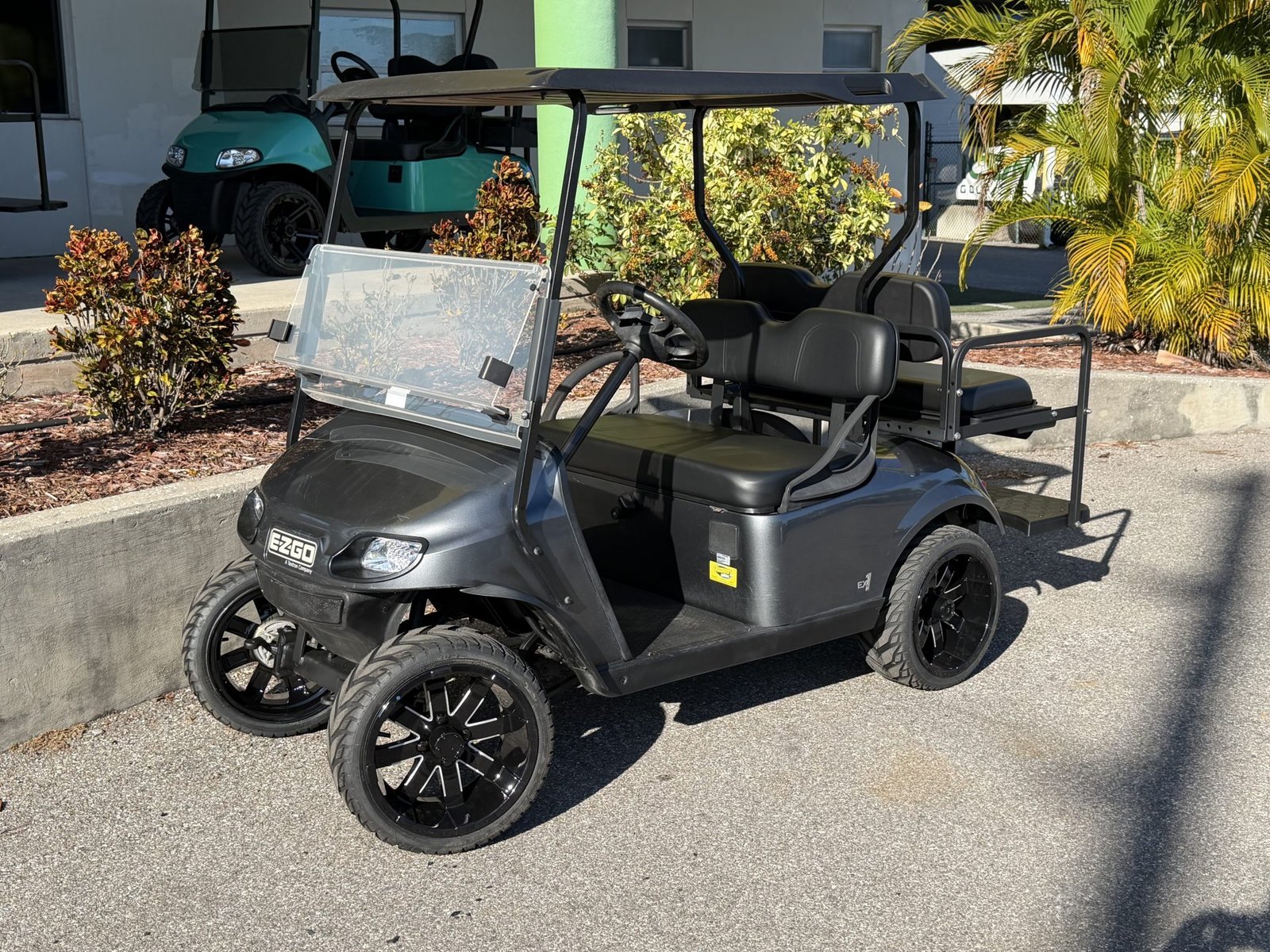
- Reverse working proves the pack, solenoid, controller, and motor are all healthy, since both directions share that hardware.
- The verified ITS voltage sweep is about 1.0V ± 0.3V at the solenoid click, rising to about 2.7V ± 0.5V at full pedal.
- Forward contacts in the F/R switch wear out before reverse because drivers spend far more time in forward, accumulating more arc cycles.
- Pre-1996 resistor-coil TXT carts have no ITS at all; identify the drive system (DCS, PDS, or resistor-coil) before probing.
An EZGO TXT that drives in reverse but refuses to go forward is handing you a precise diagnosis: the battery pack, controller, solenoid, and motor all work, because reverse uses the same hardware. The break is in the slice of the circuit unique to forward, most often the forward/reverse (F/R) switch contacts, sometimes the forward wiring or a throttle-sensor issue.
Forward Dead, Reverse Works: What That Rules Out
The clue that reverse still works is gold. Reverse and forward share the battery, solenoid, controller, and motor, so if the TXT moves at all in reverse, every one of those costly parts is functioning. The fault has to live in the short stretch of circuit that only forward uses: the forward contacts in the F/R switch, the forward wire, and the throttle path that commands forward. The broader TXT no-drive picture is covered in our EZGO TXT no-power, solenoid-clicks guide.
Why an EZGO TXT Won’t Go Forward: The F/R Switch
On the TXT, the F/R switch carries current or controller direction input every time you change direction, and the forward side is used far more often than reverse. That is why forward contacts, rocker inputs, or the forward wire can fail while reverse still works. Pull the switch cover and inspect the forward contacts or rocker wiring for heat, loose terminals, carbon tracking, and melted insulation. Black, pitted, or carbon-glazed contacts are a real clue, but confirm the fault with a meter before buying parts.
Older series TXT carts use a heavier mechanical F/R switch than later DCS/PDS layouts, so part references are model-specific. A real E-Z-GO ITS service manual names the forward direction selector and pedal-box tests but does not publish one universal F/R contact-resistance threshold for every TXT generation. If you need a replacement switch, order by serial number and drive system, not by the symptom phrase. The TXT family spans resistor, Series, DCS, PDS, and later 48V layouts, and the right switch or rocker depends on which one is under the seat.
Step-by-Step Test
- Voltage into the switch. Confirm the F/R switch receives pack voltage with the key on.
- Forward output. Select Forward and probe the forward output wire. No voltage out (with voltage in) means bad forward contacts.
- Reverse output. Select Reverse and confirm voltage on the reverse wire, proving the switch and downstream are otherwise healthy.
- Forward wiring. If the switch passes, trace the forward wire for a break, melted insulation, or a corroded connector.
ITS and PDS Notes
On PDS and DCS TXT carts the throttle is read by an Inductive Throttle Sensor (ITS) rather than a resistor coil. A throttle-path problem usually affects both directions, but a borderline ITS or connector issue can show up as weak or confusing forward response after the F/R switch tests good.
| ITS Test Point | Reading | Condition |
|---|---|---|
| ITS white wire vs B- | ~1.0V ± 0.3V | Solenoid click point |
| ITS white wire vs B- | ~2.7V ± 0.5V | Full pedal |
With the rear wheels lifted safely, direction selector in Forward, key ON, and the meter positive probe on the ITS white wire with the negative probe at B-, that is the verified E-Z-GO platform ITS sweep. If the reading is out of specification or jumps instead of sweeping smoothly, the ITS sensor is suspect. This is platform-level E-Z-GO ITS data, so confirm the connector layout against the serial-specific TXT manual before back-probing. On a PDS cart, unplug and reseat the ITS connector and check the small harness for green corrosion before you assume the F/R switch is at fault. Pre-1996 resistor-coil TXT carts have no ITS at all and instead use a bank of resistor contacts, a different animal entirely.
Wiring and Controller (Last)
If the F/R switch outputs forward voltage, the forward wiring is intact, and reverse works but forward still won’t engage, only then look at the controller, a rare mode where it accepts the reverse command but not forward. Because reverse already proves the controller is largely functional, this is uncommon and belongs at the end of the list. Charging-side TXT quirks are covered in our EZGO TXT reed switch bypass guide. For TXT wiring diagrams by model year, EZGO’s official manuals and guides are the authoritative reference.
If the controller does turn out to be the failed part on a 48V TXT, our E-Z-GO TXT speed upgrade guide lists the Navitas replacement kits by the label on your controller.
Bottom Line
An EZGO TXT that won’t go forward but reverses is a gift of a diagnosis: the working reverse clears the pack, solenoid, controller, and motor and points you straight at the forward/reverse switch and its forward contacts. Test for forward output at the switch against the verified ITS spec, clean or replace it as the contacts dictate, then check the forward wiring and throttle path.
Every direction change makes and breaks a high-current connection inside the forward/reverse switch, and each break throws a small arc that vaporizes a little contact metal. Since drivers spend the overwhelming majority of their time in forward, the forward contacts rack up far more arc cycles and erode faster than the reverse side. Warning signs before total failure: the TXT cuts out in forward over bumps, hesitates on takeoff, or only engages forward when you wiggle the F/R handle. When you replace the switch, clean and fully seat the connector pins and add a little dielectric grease; a fresh switch bolted onto corroded pins simply repeats the failure within a season.
All of the checks above assume the fault is electrical. If the motor spins while the cart stays still, the electrical side has already proved itself and the break is mechanical, which is covered in the guide to a golf cart that will not move while the motor spins.
Frequently Asked Questions
My EZGO TXT reverses fine but won’t go forward, what’s wrong?
Reverse working proves the battery, solenoid, controller, and motor all function, since both directions share that hardware. The fault has to be in the part of the circuit unique to forward: the forward contacts in the F/R switch, the forward wire, or the throttle path that commands forward.
What voltage should the EZGO TXT ITS throttle sensor read?
On the verified E-Z-GO platform ITS test, with the rear wheels lifted, direction selector in Forward, key ON, and the meter on the ITS white wire against B-, the signal should read about 1.0V plus or minus 0.3V when the solenoid clicks, rising to about 2.7V plus or minus 0.5V at full pedal. A reading out of spec or one that jumps instead of sweeping smoothly points to the ITS sensor.
Why does the forward side of the F/R switch fail before reverse?
Every direction change arcs the switch contacts slightly, and since most driving happens in forward, the forward contacts accumulate far more arc cycles and erode faster than the reverse side. That is why reverse-works-forward-doesn’t is the common failure pattern rather than the reverse.
Does my EZGO TXT have an ITS or a resistor-coil throttle?
It depends on the generation. PDS and DCS TXT carts use an Inductive Throttle Sensor (ITS). Pre-1996 resistor-coil TXT carts have no ITS at all and instead use a bank of resistor contacts, a different system entirely, so identify the drive system before probing.