EZGO TXT No Power But Solenoid Clicks: Fix Guide
An EZGO TXT with no power but a clicking solenoid is one of the most common, and most fixable, no-drive faults. This guide isolates the burnt contacts, weak pack, or tired controller behind it, with real TXT part numbers and under-load thresholds.
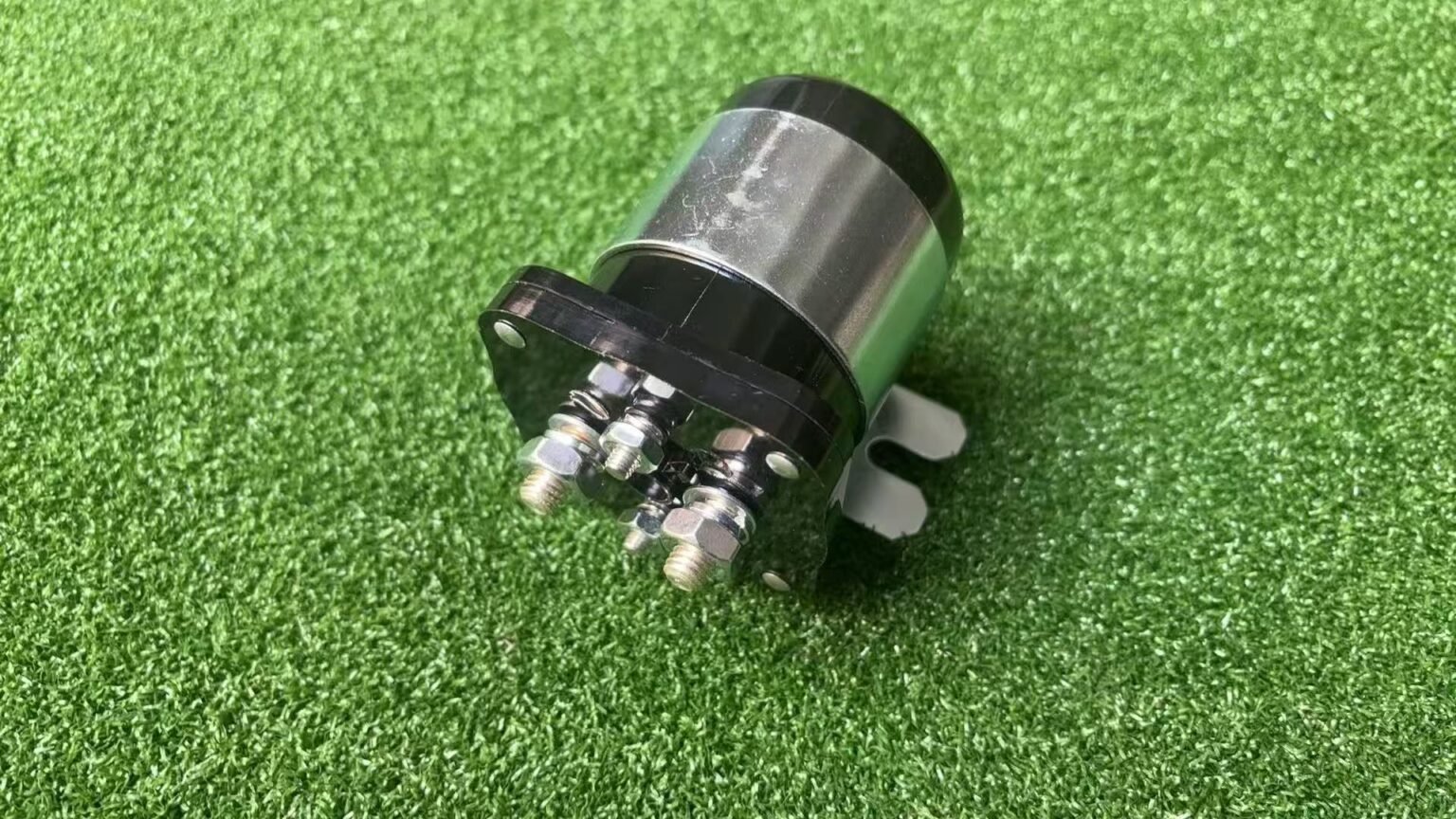
- The click proves the control circuit is good, so the break is in the high-current path: solenoid contacts, pack under load, or controller.
- Test the solenoid first: about 2V or more across the engaged large posts under load condemns it (E-Z-GO bus testing treats over 3V as a clear fail).
- Match the coil voltage to the cart: 27855G01 references a 36V TXT solenoid; 612711, 606971, and 609428 are common 48V TXT references.
- A 48V TXT should hold about 42V minimum under load; if B+ collapses toward the low 20s, diagnose batteries and cables before the controller.
If your EZGO TXT has no power but the solenoid clicks every time you press the pedal, that click is good news: it proves the key switch, micro-switches, and solenoid coil are all doing their job. The break is in the high-current path that actually drives the motor, most often burnt solenoid contacts, sometimes a pack that sags under load, occasionally the controller. Test those in order and the repair is usually quick and cheap.
What the Click Confirms
That click is doing diagnostic work for you. For the TXT solenoid to click, battery voltage has to reach the key switch, pass through the forward/reverse and accelerator micro-switches, and energize the solenoid coil. So a TXT that clicks but has no power has a working control circuit; you can skip most of it and focus on the heavy-current path to the motor. That narrows the suspects to three: the solenoid’s main contacts, the battery pack’s ability to deliver current under load, and the controller. We cover the universal version of this fault in our solenoid clicks but won’t move guide; here we focus it on the TXT.
EZGO TXT No Power But Solenoid Clicks: Read It Right
Make sure you’re really in the clicks-but-no-power case, because the opposite symptom points the other way:
- Clicks, no movement (this guide): control circuit good, start at the solenoid’s main contacts.
- No click at all: the coil isn’t energizing; look upstream at battery voltage, key switch, F/R switch, the pedal micro-switch, or the coil itself.
Not sure which one you have? The golf cart troubleshooter tool branches you to the right path by symptom.
Test the Solenoid First
Do this test before you order anything. On the TXT, burnt solenoid contacts are the number-one cause of a clicking-but-dead cart. The coil snaps the contacts together (the click), but after years of arcing the contact faces pit and resist the heavy current the motor demands. Set the meter to DC volts and measure across the two large solenoid studs while the solenoid is clicked in:
- Black probe on one large solenoid terminal, red probe on the other large terminal.
- Key ON, direction selected, press the accelerator until the solenoid clicks (rear wheels safely off the ground).
- Read voltage across the engaged large contacts. Near 0V means the contacts are passing current.
- About 2V or more means the engaged contacts are dropping voltage and the solenoid is suspect. E-Z-GO bus testing treats over 3V as a clear fail, so a 2V practical fail point is conservative.
That five-step voltage-drop test stays the fastest way to separate a clicking coil from burnt main contacts. When you replace the solenoid, match the coil voltage to the cart and don’t downgrade the amp rating:
| TXT Item | Reference to Confirm | Why It Matters |
|---|---|---|
| 36V TXT solenoid | 27855G01 (36V TXT/Medalist style) | The coil voltage must match the cart. Do not put a 48V coil on a 36V TXT. |
| 48V TXT solenoid | 612711, 606971, 609428 (48V TXT, ~2010 up) | Confirm by serial number and installed label. 48V parts are not automatically correct for a 36V PDS or Series cart. |
| Solenoid coil resistance | Use the part label or vendor sheet (no single public factory row) | OL/infinite means an open coil. Near 0 ohms means a shorted coil. |
| Pedal-box micro-switch | 25861G01 (common accelerator pedal-box switch) | If the solenoid clicks it usually did its job, but an intermittent pedal box can still drop out under vibration. |
| Forward/reverse micro-switch | 72736G01 (common F/R limit switch, later TXT) | A weak F/R switch can feed the coil but fail under real drive demand, especially after heat or corrosion. |
If the meter shows high voltage across the large posts after the click, replace the solenoid before condemning the controller. If it reads near 0V, move to the battery and switch checks below. For modified carts, our 400 amp solenoid upgrade guide explains why a higher contact rating resists this exact burn-out.
Battery Pack and Micro-Switches
A TXT pack can look fine at rest and fall apart the instant the controller asks for current. Measure pack voltage at the controller B+ and B- if you can reach the controller safely, or at the main pack positive and negative if not. The important reading is under pedal load, not open-circuit voltage.
| TXT Pack | Practical Under-Load Floor | How to Read It |
|---|---|---|
| 48V TXT, four 12V batteries | About 42V minimum at the pack or controller B+ under load | E-Z-GO 48V service logic lists 42V minimum. If B+ collapses toward the low 20s during a click/no-move event, diagnose batteries and cables first. |
| 36V TXT, six 6V batteries | About 31.5V proportional reference (not a universal factory line) | If it falls far below that when the solenoid clicks, load-test each battery and check every cable before buying a controller. |
| Main cable path | Less than 0.1 ohm cable-continuity target | Voltage sag plus warm cable ends points to resistance in the high-current path. |
Now confirm the small switches by behavior. A clicking solenoid proves the key, direction, pedal circuit, and coil path worked at least once, but the TXT pedal-box micro-switch and F/R micro-switch are still worth checking if the click is inconsistent. Open the pedal box, inspect the 25861G01-style accelerator switch and wiring, then the 72736G01-style forward/reverse switch or the correct switch for your serial number. The same pedal area is covered in our EZGO TXT throttle linkage adjustment guide. Back-probe for battery voltage entering and leaving each switch while the pedal is pressed and the selector is in Forward: voltage on the input but not the output means the switch or connector is open.
Check the Controller Last
The controller is the last and most expensive suspect, which is exactly why you test it last. If the solenoid contacts are good and the pack holds voltage under load but the motor still gets nothing, a controller that receives full voltage yet sends no output, or runs hot, is the likely failure. On charging-related electrical gremlins, our EZGO TXT reed switch bypass guide covers a related TXT quirk worth ruling out. For model-year wiring diagrams, E-Z-GO’s official manuals are the authoritative reference.
An EZGO TXT with no power but a clicking solenoid is one of the friendliest no-drive faults to fix because the click hands you half the diagnosis. The control circuit is fine, so test the solenoid contacts under load first, then load-test the pack and inspect the micro-switches, and only suspect the controller once the cheaper parts have passed. Replace what the meter condemns and the TXT will be back on the path the same day.
If the controller is the part that failed on a 48V TXT, our E-Z-GO TXT speed upgrade guide lists the Navitas replacement kits by the label on your controller.
Three TXT Mistakes That Waste a Saturday
First, do not order by photo alone. A TXT can be 36V, 48V, Series, DCS, or PDS, and the solenoid coil voltage has to match the system. Use 27855G01 as a 36V TXT catalog clue and 612711, 606971, or 609428 as 48V TXT clues, then confirm by serial number and the label on the cart. Second, do not test only open-circuit battery voltage; a weak 48V pack can sit above 50V and still fall below the 42V under-load floor when the solenoid clicks, so put the meter where the controller actually receives power. Third, do not skip the pedal-box and F/R micro-switches just because the solenoid clicked once, because intermittent switches and loose spade terminals can click on the stand and open again when the cart moves.
Frequently Asked Questions
Why does my EZGO TXT have no power but the solenoid clicks?
The click proves the key switch, micro-switches, and solenoid coil all work, so the break is in the high-current drive path. On a TXT that usually means burnt solenoid main contacts, a battery pack that sags under load, or (least often) the controller. Test the solenoid contacts under load first, since burnt contacts cause most of these cases.
How do I test the solenoid on an EZGO TXT?
Set a meter to DC volts and probe across the two large solenoid studs while the solenoid is clicked in (key on, direction selected, pedal pressed). Near 0V means the contacts are passing current. About 2V or more across the engaged contacts means they are burnt and the solenoid should be replaced; E-Z-GO bus testing treats over 3V as a clear fail.
What are the EZGO TXT solenoid part numbers?
Common catalog references are 27855G01 for 36V TXT/Medalist style carts and 612711, 606971, or 609428 for 48V TXT carts (roughly 2010 up). Match the coil voltage to the cart: never put a 48V coil on a 36V TXT or a 36V coil on a 48V TXT. Always confirm by serial number and the label on the installed part before ordering.
What pack voltage should a 48V EZGO TXT hold under load?
E-Z-GO 48V controller service logic lists about 42V minimum across the four batteries under load. If controller B+ collapses toward the low 20s during a click and no-move event, diagnose the batteries and cables first. A 36V TXT scales to about 31.5V as a proportional field reference, not a universal factory line.