EZGO RXV Reduced Speed (Limp Mode): Reset & Fix
When an EZGO RXV drops into reduced speed or limp mode, the controller is protecting itself from a fault it detected. Read the real diagnostic entry first, fix the trigger, then reset.
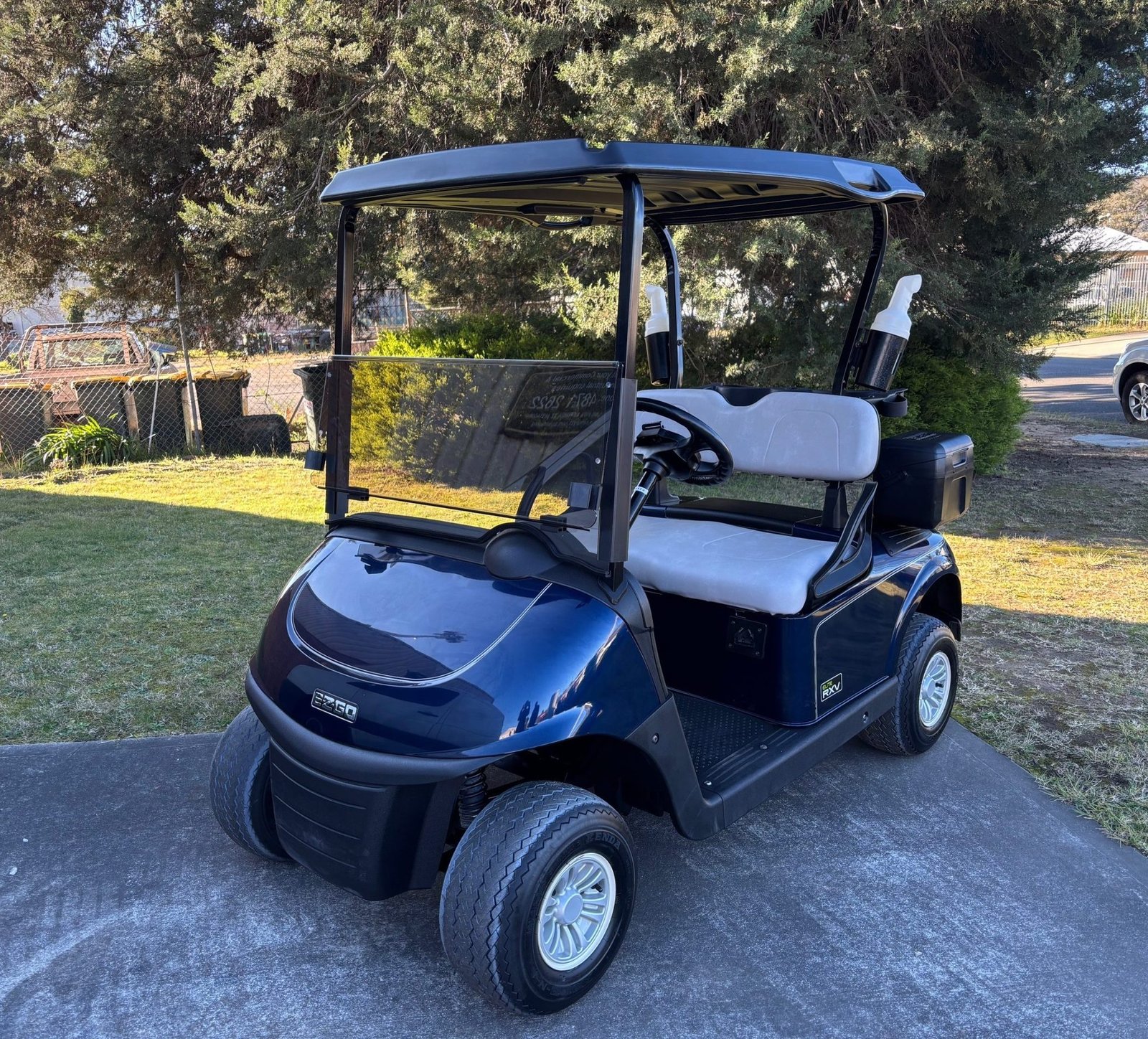
- Reduced speed on an RXV is limp mode, the controller deliberately capping power after detecting a fault, not a random failure.
- The RXV’s factory diagnostic chart names real faults: Warning Speed Sensor, error 25105 (throttle sensor), error 25108 (brake sensor), and thermal warnings for motor and heat-sink temperature.
- Brake sensor error 25108 has a real voltage window: below 0.35V, above 4.8V, or above 0.85V when the brake switch closes.
- Thermal reduction is real and separate from a sensor fault: motor over 140C and heat-sink over 85C trigger linear torque-current cutback.
An EZGO RXV that suddenly crawls, cutting top speed to a fraction of normal, has dropped into limp mode, the controller’s self-protection response to a fault it detected. The cart keeps moving so you’re not stranded, but it won’t run full speed until the underlying trigger is cleared and the controller is reset. Read the code, fix the trigger, then reset.
This is the speed-limited cousin of a full no-drive fault; if your RXV won’t move at all rather than just crawling, start with our EZGO RXV won’t move fault-code guide instead. For symptom-by-symptom branching, the golf cart troubleshooter tool helps too.
What Limp Mode Is
Limp mode is a feature, not a random failure. When the RXV controller sees data it doesn’t trust, erratic speed pulses, an over-temperature reading, a brake signal that shouldn’t be there, it deliberately caps power and speed so you can still creep home instead of being stranded or damaging the drivetrain. The reduced speed is the symptom; the detected fault is the cause. That’s why simply resetting the cart without fixing the trigger just drops it back into limp mode minutes later.
Read the Fault Before You Reset
The RXV controller does more than blink vaguely. The factory troubleshooting chart and the RXV handheld diagnostic guide identify actual faults and warnings, so the first job is to read the active error or warning before clearing anything. A handset or dealer diagnostic readout tells you whether the problem is throttle input, brake input, speed sensor feedback, heat, charger lockout, or an internal controller fault.
| RXV Diagnostic Entry | What It Points To | What to Check First |
|---|---|---|
| Warning Speed Sensor | Speed sensor or wire failure. | Use diagnostic real time to compare commanded speed, actual speed, and SPEED SENSOR status. |
| 25105 Throttle Sensor Error | Throttle position voltage out of range. | 5V sensor supply, throttle sensor voltage, throttle switch timing, and related 5V devices. |
| 25108 Brake Sensor Error | Brake position voltage out of range. | 5V sensor supply, brake sensor voltage, brake switch timing, and the brake sensor circuit. |
| Warning Motor Temp High | Motor over-temperature torque reduction. | Load, grade, motor temperature, and thermocouple resistance. |
| Warning Heat Sink Temp High | Controller heat-sink torque reduction. | Controller cooling, payload, grade, and external heat-sink temperature. |
| Warning Charger Connected | Drive inhibited, charger connected or receptacle shorted. | Charger plug, receptacle moisture, and charger-connected input. |
That is the important practical upgrade: do not reset the cart until the fault is written down. If the warning is speed-sensor related, go to the next section. If it is brake-sensor related, check the voltage window below. If it is thermal, let the cart cool and then find the load, grade, cooling, or component cause before chasing switches.
The Speed Sensor: #1 Cause of RXV Reduced Speed
The speed sensor at the motor feeds the controller motor-speed feedback. The public RXV service chart does not publish a universal air-gap or ohm-resistance spec for the RXV speed sensor itself, so do not invent one with a feeler gauge. The verifiable factory path is functional: the handheld displays commanded motor speed, actual motor speed, vehicle speed, and SPEED SENSOR status. In a healthy sensor circuit, actual speed tracks commanded speed and the SPEED SENSOR line reads normal while the wheels are turning.
Use that as the field test. Inspect the motor encoder connector for corrosion, bent pins, and a harness that opens when you wiggle it. Check for a rubbed-through cable near the motor and controller. If the diagnostic screen shows command speed but actual speed stays wrong or the SPEED SENSOR warning returns, the controller is losing trust in the feedback signal and will reduce speed to protect the drive system.
Brake Switch and Heat
The RXV brake sensor fault is not just “maybe the switch is bad.” The service chart says brake sensor error 25108 is triggered by brake sensor voltage below 0.35V, above 4.8V, or above 0.85V when the brake switch closes. The diagnostic step starts with confirming the 5V sensor supply at 5.0V plus or minus 0.1V, then checking brake sensor voltage and other 5V devices.
So the real brake-side check is electrical plus mechanical. Make sure the pedal returns fully, the linkage is not holding the brake switch partly active, and the sensor voltage is in range. If the cart limits speed while diagnostic real time shows brake input active or abnormal, fix that before clearing the code. If the brake circuit is normal but the slowdown follows heat, use the temperature warnings instead: motor temperature over 140C but under 150C causes linear torque-current reduction, and heat-sink temperature over 85C but under 115C does the same at the controller.
The Reset Procedure (After You Fix the Trigger)
Once the actual fault is corrected, clear limp mode:
- Key cycle. Turn the key off, wait a few seconds, and turn it back on. Many stored faults clear here.
- Full power-cycle. If the key cycle doesn’t clear it, disconnect the main battery negative cable for about 30 seconds, then reconnect. This forces the controller to drop any latched fault that only clears on a complete power-down.
- Re-test. Drive and confirm full speed returns. If it limps again, the trigger wasn’t fully fixed; recheck the speed sensor and brake switch.
Because the RXV’s electronics also drive its braking, a related quirk is covered in our RXV brakes locking up and electronic reset guide. Before assuming the motor is at fault, note that motors rarely cause limp mode and rarely swap anyway; see whether golf cart motors are interchangeable. For RXV-specific fault charts and reset specifics, EZGO’s official manuals and guides are the authoritative reference.
If the trigger is fixed and the RXV is healthy but still slower on grades than you need, that is a performance limit, not limp mode. Our E-Z-GO RXV speed upgrade guide covers the Navitas TAC2 controller kits for Danaher, Curtis and ELiTE carts.
Bottom Line
EZGO RXV reduced speed is limp mode, and limp mode is the controller protecting itself from a fault it detected, so chasing the reset alone never works. Read the diagnostic entry, then fix the trigger: the speed sensor accounts for most cases, with the brake switch and thermal protection behind it. Correct the real fault, then clear the latched code with a key cycle or a 30-second battery disconnect.
The most common mistake owners make with an RXV in reduced speed is treating the reset as the repair. Disconnecting the battery and watching full speed return for a lap or two feels like success, but the controller only logged the fault, it did not cause it. If the speed sensor is still misaligned or the brake switch still drags, the controller re-detects the same bad data within minutes and drops right back into limp mode. A reset that holds for a full drive cycle is your confirmation the trigger was actually fixed; a reset that fails again is the controller telling you the real fault is still there.
Frequently Asked Questions
Why is my EZGO RXV stuck in reduced speed?
An RXV in reduced speed has entered limp mode because its controller logged a fault, most often a Warning Speed Sensor entry, throttle sensor error 25105, brake sensor error 25108, or a motor/heat-sink over-temperature warning. The cart limits speed to protect itself until the trigger is fixed and the controller is reset.
What does RXV error 25108 mean?
Error 25108 is a brake sensor voltage error. The RXV service chart says it triggers when brake sensor voltage reads below 0.35V, above 4.8V, or above 0.85V while the brake switch is closed. Diagnosis starts with confirming the 5V sensor supply reads 5.0V plus or minus 0.1V, then checking the brake sensor voltage itself.
How do I reset an EZGO RXV out of limp mode?
First fix the underlying fault, then reset: turn the key off and back on, and if that doesn’t clear it, disconnect the main battery negative for about 30 seconds to fully power-cycle the controller. The reset only holds if the trigger, usually the speed sensor or brake switch, has actually been corrected.
Can heat alone cause an RXV to reduce speed?
Yes. The RXV manual specifies motor temperature between 140C and 150C causes linear torque-current reduction, and heat-sink temperature between 85C and 115C does the same at the controller. A cart that slows only after a long hill or heavy load and recovers after resting is likely in thermal reduction rather than a sensor fault.