Images are for reference only. Use the spec table for part numbers.
Brand newGenuine Navitas
Navitas 3-Inch Round CAN Display
4.9Lab rated
- For Navitas TAC carts with CAN and a CAN battery.
- Speed, direction and charge at a glance.
- Fits any dash you can drill. Round and low profile.
- Display only. Add the CAN patch harness; not needed on Navitas Chassis.
Secure payments


Pay over time with Klarna on eligible orders. Express payment options available at checkout.
Harness is needed. Skip it if you already have one.
Add harness- Free shipping over $199, lower 48
- 30 day returns
- Email support
Overview
The Navitas 3-inch round CAN display is a low profile, gauge style dash display for golf carts and LSVs running a Navitas TAC controller. It shows vehicle speed, the direction switch position and the battery state of charge on one clean, easy to read screen.
Where does it go? It is a neat way to add real information to a cart that has none. Because it is round and low profile, it goes wherever a suitable hole can be drilled in the dash, so you choose where it sits.
What else do you need? It reads its data over CAN, so it needs a TAC controller with CAN enabled and a CAN-capable battery. You also need the Navitas CAN display patch harness, except on Navitas Chassis vehicles. If you want a bigger screen, see the Navitas 10-inch CAN touchscreen display.
Compatibility
| Cart / system | Application | Controller family |
|---|---|---|
| Universal by system | CAN-enabled Navitas TAC system | Navitas TAC / CAN |
Does not fit
| Your cart |
|---|
| TAC2 controllers without CAN enabled |
| Systems without a CAN-capable battery |
| Installations that omit the required patch harness, except Navitas Chassis vehicles |
For carts with a CAN-enabled Navitas TAC controller and a CAN-capable battery. The CAN display patch harness is needed too, except on Navitas Chassis vehicles. A TAC2 controller must have CAN enabled to pair with this display.
Want to be 100% sure?3 quick checks at the cart
Check that your controller is a Navitas TAC with CAN enabled.
Check that your battery is CAN capable.
Not sure? Send us a photo of the controller label and the battery label and we will check it for you.
Complete your install
Add what you need from here. Each item goes in your cart at its own price.
Add the harness
Already have one on your cart? Skip this step.
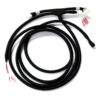
- Navitas CAN Display Patch Harness
The 3-inch CAN display requires this patch harness except on Navitas Chassis vehicles.
$79.00Add to cart
Published functions
- 3-inch screen
- Vehicle speed
- Direction switch position
- Battery state of charge
Specifications
- Brand
- Navitas
- SKU / MPN
- 87-10000913
- Part type
- 3-inch round CAN display, Navitas TAC
- Condition
- New
Requirements and install notes
Disconnect the battery pack before you work on the controller or its wiring.
Pick a spot on the dash where the driver can see the display, then drill the mounting hole.
Connect the display through the Navitas CAN display patch harness, unless the cart is a Navitas Chassis vehicle.
If you are not comfortable working on the drive system, have a golf cart technician fit it.
FAQ
What does it show?
Vehicle speed, the direction switch position and the battery state of charge on one easy to read screen.
Will it work on my cart?
It needs a Navitas TAC controller with CAN enabled and a CAN-capable battery.
Do I need the patch harness?
Yes, the Navitas CAN display patch harness, except on Navitas Chassis vehicles.
3-inch or 10-inch?
The 3-inch is a low profile round gauge that fits any dash you can drill. The 10-inch CAN touchscreen adds a bigger screen with entertainment and connectivity.
Other options
Other Navitas CAN displays.
- Navitas 10-Inch CAN LCD Touchscreen Display
The bigger option: a 10-inch CAN touchscreen with the same speed, direction and charge readouts, plus entertainment and connectivity.
$745.00View