Evolution Golf Cart Error Codes: Read & Fix Guide
Evolution fault icons and controller warnings are clues, not random glitches. Here is the real EV48-400 controller fault table and BMS code list, verified against Evolution’s own documentation.
- Photograph the exact code, flash pattern, or icon before cycling the key, many faults clear on power cycle.
- The EV48-400 controller family used on many Evolution carts has a real published fault table, numbers 1 through 101.
- Battery and charger codes trace to a documented CAN-based BMS table with real cell-voltage and temperature thresholds.
- Evolution’s public materials do not guarantee every touchscreen message matches the EV48-400 table exactly.
- A large share of “error codes” are BMS balance faults that clear after one full, uninterrupted charge.
A lithium street-legal Evolution has more sensors than an older fleet cart. The dash, controller, BMS, throttle, brake, charger, and motor temperature circuits can all request reduced power or no drive. The code is not the repair by itself, but it tells you where to test first. This guide gives the verified EV48-400 controller fault table and battery/charger CAN code list so you are not guessing at generic categories.
01: Record the Code Before Cycling Power
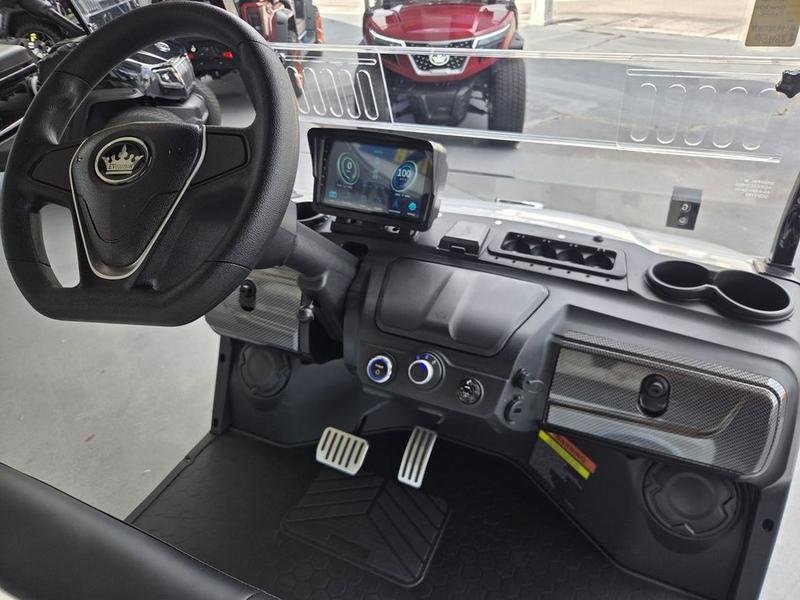
Evolution carts (Classic 4 Plus, Forester, D5 Ranger, EV2.5, built roughly 2021 onward) surface faults a few different ways depending on the model and dash. Newer units with the color touchscreen dash show a written alert or a numbered code; base models flash a warning light or beep. Whatever your cart does, write down the exact code, the flash pattern, and what the cart was doing when it appeared BEFORE you cycle the key, because many faults clear themselves on a power cycle and you lose the evidence. Note whether the cart still drives, still charges, and whether the code is steady or intermittent.
Take a photo of the dash and write down the conditions: key on, driving, charging, climbing a hill, or after rain. A code that appears only during charging should not be diagnosed like a code that appears under throttle.
- Photo first: Capture the exact icon, number, or wording before it disappears.
- Timing matters: Codes at startup often differ from codes under load.
- One key cycle: Cycle the key once after recording. If the code returns, treat it as active.
Which Table Applies to Your Code
Evolution surfaces faults from more than one system, so match the number to the right table before you start testing.
| Code Range | Source | Where to Look |
|---|---|---|
| Roughly 1 to 101 | EV48-400 controller family | The controller fault table directly below. |
| Roughly 103 to 199 | CAN battery and charger messages from the BMS | The battery and charger table in section 03. |
| Charger light patterns, no number | The charger itself | The charger rows at the end of section 03, then the charger manual. |
| A written message on the touchscreen | Dash software, varies by model year | Photograph it. Evolution does not publish one universal dash message list, so have the dealer pull stored controller or BMS history. |
02: EV48-400 Controller Fault Table
Evolution dashboards vary by model. Current D5 Ranger pages list a 9 inch multi-functional touchscreen with speed, gear, lights, odometer, radio, Bluetooth, and backup camera display, while Classic and Forester Plus pages show the same 9 inch touchscreen package. That screen is not the same thing as a complete public service manual. Evolution’s owner manuals page publishes model manuals and battery data sheets, but the broad owner material does not publish one universal dash-code list for every Classic, Forester, and D5 build.
The useful verified table is the EV48-400 controller fault document hosted by Tidewater Carts. Treat it as a controller-family table for Evolution carts using the EV48-400, EV48-400-A, or a closely related controller, not as a promise that every D5 touchscreen message uses the same number. If your dash shows a different three-digit display code, photograph it and have the dealer pull the stored controller or BMS history.
| Code | Verified Meaning | Start Here |
|---|---|---|
| 1 | Battery voltage too high at the controller. | Stop driving, verify pack voltage, confirm charger profile, inspect main battery cable connections. |
| 2 | Battery voltage too low at the controller. | Charge the pack, then load test. Check corroded terminals and main positive/negative cables. |
| 3 or 85 | Accelerator active during startup or wrong start sequence. | Release the pedal, key cycle once, then inspect pedal calibration and wiring if it returns. |
| 6 | Bus voltage too low. | Check main fuse, contactor path, pack voltage, and high-current cable condition. |
| 7 | Bus voltage too high. | Check charger output, pack voltage after charging, and regen or downhill use on a full pack. |
| 8 or 27 | Drive motor or controller overcurrent. | Inspect U, V, W motor phase cables for shorts, melted insulation, loose lugs, or water intrusion. |
| 11 or 17 | Main contactor fault or contactor coil overcurrent. | Listen for the contactor, then test coil wiring, contactor resistance, main fuse, controller command. |
| 12 | Battery capacity low, controller may limit motor speed. | Charge fully, then compare resting voltage to voltage under acceleration. |
| 13 or 61 | Drive motor temperature too high. | Let the motor cool. Check brake drag, hill load, tire size, motor sensor connection, cleanliness. |
| 20 or 66 | Controller temperature too high. | Cool down. Check blocked airflow, heavy load, dragging brake, controller mounting heat transfer. |
| 37 or 38 | Controller 5V or 12V supply too low. | Unplug recent accessories and inspect accelerator, steering sensor, instrument, encoder wiring for shorts. |
| 39 | Motor stall, controller commanded movement but speed stayed at zero. | Check encoder signal, locked brake, hill overload, whether the cart is mechanically stuck. |
| 40 to 46 | Drive output overcurrent on Drive1 through Drive7. | Inspect the output load and harness for the matching controller drive port. |
| 47 or 48 | Electromagnetic brake coil open fault or mechanical EM brake fault. | Do not bypass the brake. Inspect EM brake wiring, coil resistance, brake release, brake assembly. |
| 49 | Battery charger connected, cart movement limited. | Disconnect the charger and confirm the charge interlock clears before driving. |
| 62 or 64 | Direction switch conflict or wrong start sequence. | Return the selector to neutral, release the pedal, check forward/reverse switch wiring. |
| 71, 74, 95, or 97 | Controller temp sensor, motor encoder, or motor temp sensor fault. | Inspect the sensor connector first. If wiring is clean, dealer scan or sensor replacement is next. |
| 83, 84, 87, 88, or 89 | Flash memory, parameters, firmware version, firmware type, or product mismatch. | Stop parts swapping. This is a controller programming or replacement path. |
| 91 or 92 | Steering sensor failure or pedal accelerator error. | Check sensor connection and calibration. Replace the pedal or steering sensor only after wiring checks. |
| 98 | Bus capacitor precharge failure. | Confirm B+ and B- are connected correctly, then have the controller and precharge path tested. |
| 100 | External meter communication fault. | Check the CAN bus harness and confirm the display or instrument is powered and communicating. |
| 101 | CAN bus communication fault, BMS data not received in time. | Inspect the BMS communication line, meter/controller CAN wiring, battery communication connector. |
03: Battery & Charger Codes
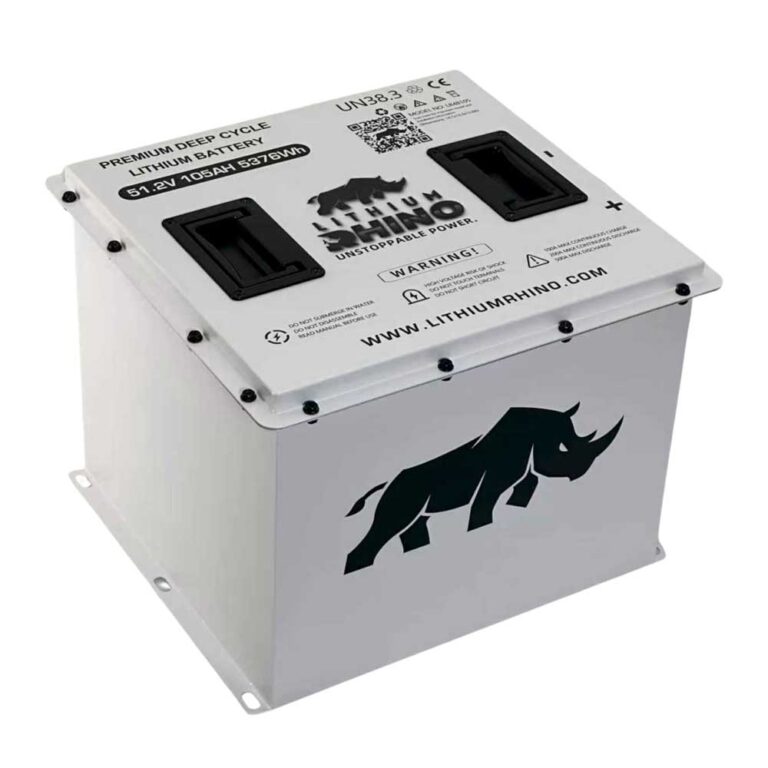
The old shortcut in this article used a generic 2.5V to 3.65V cell range. That was not Evolution-specific enough, so the safer way is to use Evolution’s own battery data first. Evolution’s L48110 data sheet lists a 51.2V LiFePO4 pack, 16 cells, 58.4V max charge voltage, 41.6V low-voltage disconnect, automatic recovery, 32°F to 110°F charge temperature, and -4°F to 140°F discharge temperature. Evolution’s lithium battery page also lists the L48110 as 51.2V, 110Ah, 16 series cells, and 5.28kWh. If your cart has a 48V 105Ah, 48V 160Ah, or another Evolution pack, use the label and matching data sheet instead of copying L48110 numbers across every model.
For EV48-400 based carts, the published CAN battery table gives real BMS-style warnings rather than vague buckets. These are platform-level BMS and controller messages, so match them to the installed battery and dash before ordering parts.
| Code | Battery or Charger Meaning | What to Do First |
|---|---|---|
| 103, 113, 129 | Battery cell-group voltage difference, large, too large, or too high. | Fully charge, let the pack balance, then check if the code returns. Persistent imbalance needs dealer BMS data. |
| 156, 157, 131 | Battery voltage high or too high. | Stop charging and verify charger output. For the L48110 pack, max charge voltage is 58.4V. |
| 158, 159, 124 | Battery voltage low or too low. | Charge the pack and measure voltage under load. L48110 low-voltage disconnect is 41.6V. |
| 106, 161, 132 | Lithium battery pack or string voltage too high. | Check charger profile, pack voltage, and BMS history before driving again. |
| 162, 120, 125 | Lithium battery pack or string voltage too low. | Recharge with the correct charger. If the pack will not wake, use the BMS activation procedure from the label or dealer. |
| 107, 115, 126 | Lithium battery string temperature high or too high. | Let the battery cool, reduce load, inspect battery compartment airflow and sensor wiring. |
| 108, 116, 127 | Lithium battery string temperature low or too low. | Warm the pack. L48110 sheet lists charging from 32°F to 110°F, do not force cold charging. |
| 109, 117, 128 | Temperature difference between individual batteries or cells too large. | Let the pack rest at moderate temperature, then retest. Persistent spread needs BMS cell/sensor data. |
| 166, 167, 133 | Discharge current large or too high. | Back off load, check brake drag, hill use, tire size, and high-current cable condition. |
| 110, 172, 173 | Lithium battery pack leakage or severe leakage fault. | Stop using the cart and have the battery and harness inspected. Do not keep resetting a leakage fault. |
| 176, 134, 135 | BMS fault, serious internal BMS fault, or very serious internal BMS failure. | Record the code and call the dealer or battery supplier. Not a pedal or charger guess. |
| 185, 189, 194, 195 | Lithium battery solenoid high-temperature protection or warning during charge/discharge. | Let the pack cool, inspect cable tightness, look for heat at the battery contactor or terminals. |
| 190 or 196 | Single-cell overvoltage protection or warning while charging. | Stop charging and verify charger output and BMS cell data. Do not keep forcing charge cycles. |
| 191 or 197 | Overcurrent protection or warning while charging. | Confirm charger compatibility, inspect charge port pins, check for loose or hot connections. |
| 192 or 198 | Low-temperature protection or warning while charging. | Move the cart above freezing before charging. The L48110 charge range starts at 32°F. |
| 193 or 199 | High-temperature protection or warning while charging. | Stop charging, move to a cooler area, inspect airflow around the charger and battery. |
| Charger red solid/flashing | Charging, per Evolution charger manual. | Let it charge unless the charger alternates red/green or the cart reports a BMS fault. |
| Charger solid green | Charge complete. | Unplug and retest the cart. If range is still low, diagnose the pack under load. |
| Charger red/green flashing in order | Use the charger troubleshooting table: no load, over/under voltage or current, ambient temp out of range, charger overheating, input AC abnormality. | Count the red flashes between pauses, inspect the charge port, AC input, battery connection, charger temperature, then follow the charger manual. |
Battery warnings are common after storage, deep discharge, charger mismatch, or a long climb that makes voltage sag. Charge the pack completely, then retest. If the same battery warning returns on a full pack, inspect the battery connections and continue with the Evolution battery problem guide.
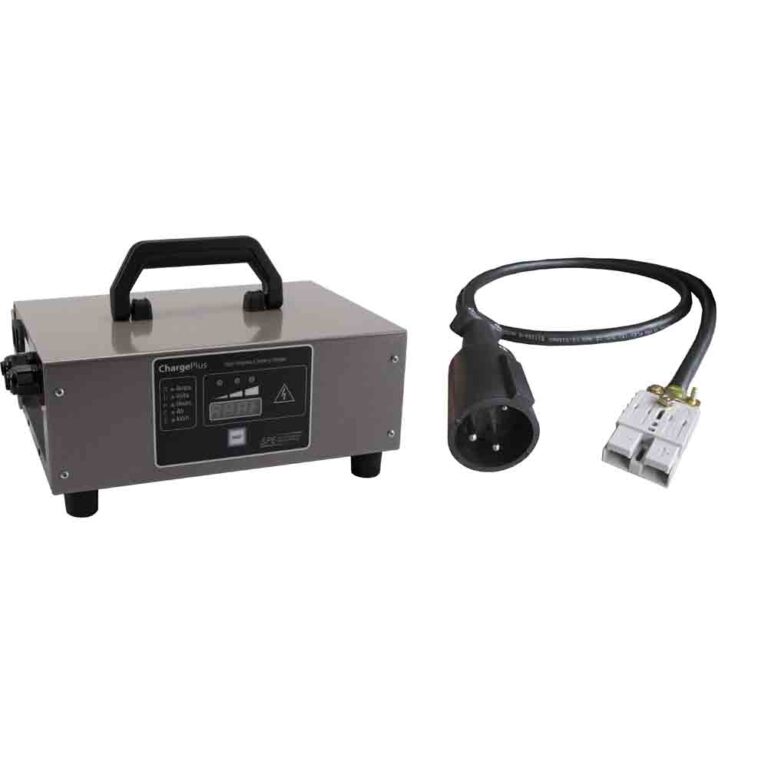
Charger warnings belong with the Evolution charging diagnosis. A dirty charge port, a sleeping BMS, a cold pack, or a charger red/green fault pattern can trigger a warning without proving the charger itself is bad.
04: Drive & Reduced Speed Codes
Drive-side codes on an Evolution usually map to the throttle sensor, the motor speed/encoder sensor, the main contactor, or a controller over-temperature limit. A code paired with a hard speed cap that survives a full charge is almost always the throttle signal (a 0 to 5V Hall sensor) or the encoder connector at the motor corroding. Back-probe and inspect those first, since they are far cheaper than a controller.
- Throttle: Make sure the pedal returns fully and the sensor connector is seated.
- Brake: Verify the parking brake and brake switch are not stuck in the applied state.
- Speed sensor: If the cart drives slowly or surges, inspect the motor speed sensor wiring.
- Heat: Let the cart cool if the fault came after hills, heavy passengers, or low tire pressure.
If the code comes with limp mode, use the Evolution reduced speed guide to work through the likely causes.
The Evolution quirk to remember: a huge fraction of “error codes” on these carts are BMS communication or balance faults that clear after one full, uninterrupted charge. Leaving the cart on the charger a few extra hours past the full indication lets the BMS top-balance the cells, and codes tied to a single weak group often vanish. If a code returns immediately after a full charge and balance, escalate to Evolution support with the exact code recorded and a photo log, an intermittent code you cannot reproduce is far harder to warranty.
Frequently Asked Questions
How do I read Evolution golf cart error codes?
Record the dash icon, number, or message and note when it appears. Use the warning type to choose the battery, charger, throttle, brake, speed sensor, or temperature circuit to test first.
Will cycling the key clear an Evolution error code?
A key cycle may clear a temporary warning. If the code returns, the fault is still active or stored and should be diagnosed.
Why does my Evolution show an error and slow down?
The controller or BMS may be protecting the cart from low voltage, heat, throttle input error, brake switch error, or speed sensor data loss.