
Corrosion Chemistry: Why Blue Acid Signals Internal Plate Failure
The color of the fuzz on your terminals tells you which metal is corroding and, often, where the acid is coming from. Here is how to read corrosion by color, neutralize and seal a joint the right way, and find why it keeps coming back.
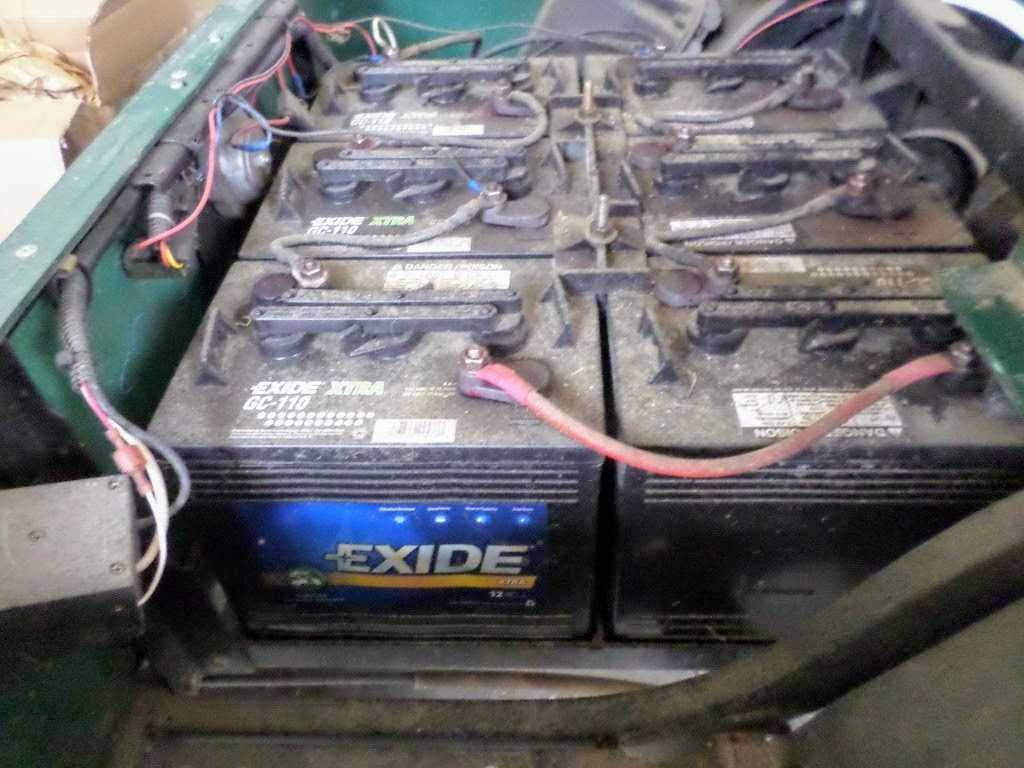
- Corrosion color identifies the metal, not the plate health directly. Blue or green is copper corroding in the cable lug; white or grey is lead, zinc, or aluminum with dried electrolyte.
- Blue copper corrosion means acid is escaping the battery, usually from a leaking post seal or cracked case, which is a separate failure that can keep driving corrosion and may require replacement.
- Corrosion is resistance. A corroded joint drops voltage and turns the lost energy into heat, which is why it makes a cart go slow and can melt a terminal. Verify it with a loaded voltage-drop test.
- Neutralize with one documented baking-soda recipe (Trojan 1 cup per gallon, Interstate 1 part to 5), keep it out of the cells, clean to bright metal, torque to the terminal spec, then seal the finished joint.
The powdery fuzz on a battery terminal is not just a mess to wipe off. Its color identifies the metal and reaction products near the connection, and that is a real diagnostic clue. What it does not do by itself is diagnose the battery’s internal plates. Interstate Battery notes plainly that blue or green material comes from copper corrosion and that color reveals little about battery performance. The bigger finding hidden behind blue corrosion is often a leaking post seal or cracked case, a separate problem that keeps driving corrosion back no matter how many times you clean it.
Reading Corrosion by Color
| Color or pattern | Most likely material or cause | What it does and does not prove | Correct action |
|---|---|---|---|
| Blue or green crystals | Copper in the cable lug or strands reacting in the corrosive battery environment | Confirms copper corrosion; does not prove an internal plate or post failure | Neutralize and clean externally, inspect strands under insulation, replace a blackened or thinned cable, then fix the moisture or acid source. |
| White or grey deposit | Lead, zinc, or aluminum corrosion products and dried electrolyte residue | Shows external chemical activity, not remaining capacity | Clean to bright metal, inspect the post seal and case, dry fully, torque to spec, and protect the joint. |
| Brown or red deposit | Iron or steel corrosion | Points to steel hardware or a nearby bracket, not copper | Replace badly pitted hardware with the specified material and protect it from electrolyte. |
| Wet ring, recurring crystals, or acid track down the case | Electrolyte creep, overfill, aggressive gassing, loose post seal, or a case crack | Stronger evidence of an electrolyte-source problem than color alone | Check fill level, charging voltage and temperature; replace a cracked case or failed seal per manufacturer policy. |
| Melted lead, dark plastic, or heat-discolored lug | High resistance from loose torque, contaminated interface, damaged crimp, or undersized cable | An electrical heat fault, even with little visible corrosion | Remove from service, replace damaged parts, and verify voltage drop under a measured load. |
Why Blue Signals Internal Trouble
Blue corrosion is copper sulfate, formed when sulfuric acid leaks from the battery and reacts with the copper in your cables or lugs. The acid does not appear at the terminal by accident: it escapes because the seal around the battery post has failed, often as internal plates expand and stress the post, or because the case has cracked. So while the blue itself is a copper reaction, its presence points to a battery that is venting acid where it should not, and that is why blue is a warning sign rather than just a cleaning chore. Corrosion also creates high resistance, which drops voltage and starves the motor, so a badly corroded pack genuinely makes a cart go slow and can heat a terminal enough to melt it.
Neutralize, Rinse, Dry, and Seal
Trojan directs technicians to clean the battery top with a baking soda and water solution while keeping it out of the cells, then rinse, dry, clean terminals to a metallic shine, and apply anti-corrosion spray or silicone gel. Trojan’s FAQ gives a service mix of 1 cup of baking soda per gallon of water; Interstate publishes 1 part baking soda to 5 parts water. Use one documented recipe, not both in the same bucket.
- Turn the cart off, set Tow/Run to Tow where fitted, unplug the charger, and follow the manual’s battery-disconnect sequence. Remove jewelry and wear splash goggles and acid-resistant gloves.
- Ventilate the area. Do not smoke, create sparks, or lay tools across terminals, because charging and recently charged flooded batteries release hydrogen.
- Apply the neutralizing solution to the external deposit. Keep caps installed and do not let cleaner enter a vent well or cell. Bubbling shows acid is being neutralized.
- Rinse the exterior with clean water without flooding electronics, then dry the case, tray, cable, and terminal completely.
- Separate the lug from the post and clean both mating faces to bright metal. If corrosion has wicked under insulation or removed copper cross-section, replace the cable rather than hiding it under spray.
- Reconnect in the maker’s sequence and torque the actual terminal type. Trojan publishes 95 to 105 in-lb for ELPT, EHPT, EUT, LT, WNT, DWNT, and UT terminals; other terminal types have different values.
- Coat the finished external connection with anti-corrosion spray or silicone gel. Felt washers may supplement a sound joint when the maker permits, but they cannot seal a cracked case or loose post.
Do not pour neutralizer into a cell, because baking soda carried into the electrolyte neutralizes the sulfuric acid and permanently changes the battery chemistry. Do not put petroleum coatings on the mating faces unless the maker instructs it; the conductive faces must be clean and mechanically secure before you add external protection.
Find Why It Came Back
Cleaning a terminal that keeps corroding without finding the source just resets the clock. Work through the real causes.
| Repeat-corrosion check | Measured evidence | Interpretation |
|---|---|---|
| Charging profile | Verify nominal pack voltage, chemistry, active algorithm, finish voltage, and temperature behavior | Overcharge and high temperature increase gassing and acid mist. |
| Electrolyte level | Compare with the maker’s before-charge and after-charge fill marks | Overfill pushes electrolyte from the vents during charge; exposed plates create a separate damage path. |
| Connection resistance | Measure voltage drop post-to-lug and cable-to-cable at the same current | Heat at one joint means electrical resistance, not just a cosmetic deposit. |
| Post and case | Clean and dry, then look for a new wet ring or track before adding protectant | Recurring wetness localizes a seal or case leak. |
| Cable under insulation | Flex and inspect the crimp; compare resistance with an equivalent cable | Acid-wicked copper can stay resistive after the visible lug is polished. |
Read the color to learn which metal is reacting, but treat blue and a recurring wet ring as a signal to hunt the acid source, not just polish the lug. Neutralize with one documented recipe, keep it out of the cells, clean to bright metal, torque to the terminal spec, and seal the finished joint. Then confirm the connection with a loaded voltage-drop test, because a joint that still drops voltage under load is stealing range even after it looks clean. A cracked case or failed post seal is a replacement, not a cleaning job.
Frequently Asked Questions
Why is my battery terminal corrosion blue?
Blue corrosion is copper sulfate. It forms when sulfuric acid leaks from the battery and reacts with the copper in your cables or lugs. The acid escaping is the real story: it usually means the seal around the battery post has failed, often as internal plates expand, or the case has cracked. Clean the copper, but find and fix why acid is reaching the terminal.
Can battery corrosion cause my golf cart to go slow?
Yes. Corrosion creates high electrical resistance, which causes a voltage drop so the motor receives less power than the batteries actually provide. The same resistance turns lost energy into heat, which can make a terminal hot enough to melt. Confirm the effect with a voltage-drop test under load rather than assuming a clean-looking terminal is fine.
How do I stop my golf cart battery terminals from corroding?
Clean the terminals with a documented baking soda and water solution kept out of the cells, dry everything, clean the mating faces to bright metal, torque to the terminal spec, and then apply an anti-corrosion spray or silicone gel to seal the finished joint. If corrosion keeps returning, check the charging profile, electrolyte level, and post seal, because a leaking or overcharged battery will keep feeding it.
Does white corrosion mean the battery is bad?
Not by itself. White or grey deposits are lead, zinc, or aluminum corrosion products plus dried electrolyte, and they show external chemical activity rather than remaining capacity. Clean to bright metal, inspect the post seal and case for a leak, and run a load or hydrometer test if you want to judge the battery’s actual health. A melted or heat-discolored lug, on the other hand, is an electrical resistance fault to address immediately.
