ICON Golf Cart Lithium Battery & BMS Problems: Fix
Most ICON battery complaints are really the BMS doing its job. Here is how the lithium pack protects itself, what the verified DTC codes mean, and how to bring it back.
- Most ICON battery complaints are the BMS protecting the pack, not failed cells.
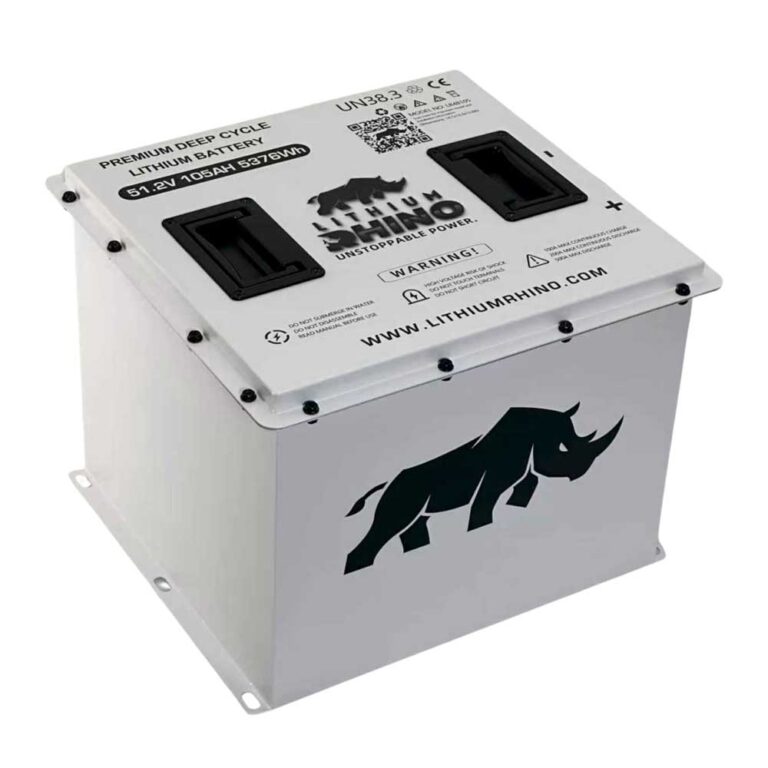
- Eco Battery Gen3 packs run 51.2V nominal, 16 LiFePO4 cells, 58.4V full charge.
- Real meter DTCs exist (E02 to E17); record the exact code before resetting anything.
- A sleeping pack usually wakes with the correct charger and enough time.
- Persistent faults or codes that return after a full charge need a dealer, not another reset.
ICON carts run lithium battery packs with a built-in battery management system, and most owner complaints about the battery, no power, no charge, sudden cutbacks, are really the BMS protecting the cells. Understanding what the BMS guards against (over-discharge, over-temperature, cell imbalance) turns a scary battery problem into a predictable, often recoverable one. This guide explains the common lithium battery issues on an ICON and how to respond to each. Across the 2021 to 2026 build years ICON standardized on a LiFePO4 pack, and nearly every battery complaint traces back to how that pack’s BMS reacts, not to failed cells.
01: What the BMS Actually Does
The BMS is the brain of the lithium pack. It monitors each cell group and will disconnect the pack to prevent damage when it sees a condition outside safe limits. That disconnect is what owners experience as the battery not working. The four conditions it guards against are over-discharge (pack too low), over-temperature (too hot or too cold to charge), over-current (a drive or charge surge), and cell imbalance.
Because the BMS can open the pack completely, a healthy ICON battery can look totally dead and still be fine once the protective condition clears. That is why you charge and warm before you condemn.
On current ICON lithium carts, ICON says the factory-authorized Eco Battery system uses LiFePO4 chemistry and a proprietary BMS, and Eco Battery lists overcharge, overdischarge, short-circuit, overcurrent, high and low temperature, and freeze-charge protection. Eco Battery also publishes a Gen3 meter trouble-code list, so a real BMS fault may show as an Eco Battery DTC such as E03 Cell Differential, E04 Cell Over Voltage, E05 Cell Under Voltage, E07 Pack Under Voltage, E08 Discharge Over Current, E10 Discharge Temp High, E12 Charge Temp Low, or E16 External Communication Error. There is no verified public, universal ICON dash icon name for a BMS fault across all model years, so treat the exact dash wording as model-specific, and record the displayed DTC or message before cycling power.
BMS Protection Table
Use this table as the scan-first reference when an ICON lithium battery problem looks like a dead pack, no-charge event, limp mode, or stuck battery warning. The thresholds below separate public ICON/Eco Battery specs from chemistry-level limits. ICON confirms 2025-newer carts use Eco Battery lithium systems; Eco Battery confirms 51.2V Gen3 packs use 16 LiFePO4 cells, 58.4V full-charge pack voltage, charging allowed only above freezing, and discharge rated from -4°F to 140°F. A 16-cell 58.4V pack works out to 3.65V per cell at the top of charge. The often-cited 2.5V per cell value is a common LiFePO4 under-voltage protection point in general BMS documentation, but ICON/Eco do not publish that exact internal trip point for every owner-facing pack, so it should not be used as a warranty verdict by itself.
| Condition | Trigger / DTC | What You See | Recovery Action |
|---|---|---|---|
| Over-discharge / sleep | E05 Cell Under Voltage, E07 Pack Under Voltage, E15 SOC Low | Cart appears dead, terminals may read zero, charger may need a handshake | Connect the approved charger and let a deeply discharged pack wake fully |
| Over-voltage / charge cutoff | E04 Cell Over Voltage, E06 Pack Over Voltage (58.4V full charge = 3.65V/cell) | Charger stops early, charge won’t continue | Use only the approved lithium charger; let the pack rest and retry a normal cycle |
| Cold charge lockout | E12 Charge Temp Low (below 34°F internal) | Cart may drive with reduced range but charging is blocked | Warm the pack above freezing internally, not just the air around it, before retrying |
| High temperature lockout | E10 Discharge Temp High, E11 Charge Temp High, E14 MOS Temp High | Reduced speed after hills, shutdown after hard driving | Park in shade, stop climbing, let pack and controller cool, then retry |
| Over-current / short-circuit | E02 External Short Circuit, E08 Discharge Over Current, E09 Charge Over Current (rated 250A continuous, 550A/10s, 600A/5s) | Cart cuts out on hills or hard acceleration | Inspect main cables, solenoid connections, and controller settings for excess draw |
| Cell imbalance / comm fault | E03 Cell Differential, E16 External Comm Error, E17 Internal Comm Error | SOC jumps around, range ends early, meter loses battery data | Full top-balance charge past 100%; check CAN plugs for corrosion; dealer if it returns |
There is an important difference between a recoverable BMS protection event and a stuck fault. Eco Battery labels Level 2 and Level 3 faults as conditions that can self-resolve when temperature, voltage, or current returns to range, but Level 1 faults are serious and not expected to self-resolve. That is why a one-time cold charge refusal or hill-climb over-current event is handled differently from a repeated MOS error, internal communication error, external short-circuit code, or cell differential code. If the cart still will not charge, drive, or show stable SOC after the recovery action above, the next diagnostic value is not another key cycle. It is the stored BMS DTC, the lowest and highest cell group voltage, pack temperature, pack current at failure, and whether the fault level is 1, 2, or 3.
02: Waking a Sleeping or Deeply Discharged Pack
A lithium pack left unused for a long stretch, or run flat, can drop into a low-voltage sleep where the BMS shuts everything off. This is the single most common ICON battery scare.
- Plug in the ICON charger. The applied voltage often wakes the BMS and re-enables the pack.
- Give it time, a deeply discharged pack may need to sit on the charger before it accepts a normal charge.
- If the cart was completely dead, also confirm the main disconnect is on, see ICON won’t turn on.
A specific ICON tip: a pack that has sat all winter and reads zero volts at the terminals is almost always asleep, not dead, and the factory charger applying its wake voltage usually revives it within a few minutes to an hour. If the charger will not even turn on, the problem may be the charger handshake rather than the pack, so try the charger on a known-good cart. Storing the ICON on a maintenance charge, or at least topping it every four to six weeks, prevents the deep-sleep scenario entirely.
03: Temperature and Charge Lockouts
Lithium chemistry is temperature-sensitive. Most BMS units block charging below roughly freezing and may cut power when very hot. If your ICON will not charge or drops to reduced speed in extreme weather, temperature is the prime suspect.
- Too cold: Move the cart somewhere warmer and retry charging, see ICON won’t charge.
- Too hot: Let the pack cool after hard use before charging.
Because ICON packs block charging below freezing, cold-climate owners often think the charger is broken in December when it is simply the BMS doing its job. Bringing the cart into a garage that stays above about 40°F for a few hours before plugging in solves it. In summer, a pack that has been climbing hills in direct heat can sit near its upper limit, so parking in shade and letting it cool 20 to 30 minutes before charging avoids a hot lockout.
04: Imbalance, Aging, and When to Call a Dealer
If the pack charges and warms but still cuts power early, limps when charged, or throws a persistent battery code, you may have a cell-balance or aging issue the BMS cannot resolve on its own. ICON packs are warrantied, and the BMS data can only be read properly with the right tool.
Take a pack that never recovers, or one with a stuck battery fault, to an ICON dealer rather than opening the pack. Lithium packs carry high voltage and should not be disassembled by hand. For background on lithium versus lead-acid behavior and lifespan, our battery tech guides go deeper. One recoverable case worth trying first: a mild cell imbalance sometimes clears if you leave the ICON on the charger for a full 12 to 24 hours after it reports full, because the BMS bleeds the high cells down to match the low ones during that top-balance window. If several such long charges do not fix early cutouts, the imbalance is beyond self-correction and the pack should go back under warranty.
ICON battery problems are usually the BMS protecting the pack. Charge a sleeping pack, keep it in a safe temperature range, and reserve dealer service for packs that never recover or throw persistent codes. Never open a lithium pack by hand.
Frequently Asked Questions
Why is my ICON lithium battery not working?
Most often the BMS has disconnected the pack to protect it, from deep discharge, temperature, or a cell fault, rather than the cells being dead. Plug in the charger to try to wake a sleeping pack, and make sure the pack is within a safe temperature range.
How do I reset the BMS on an ICON golf cart?
There is no manual reset button; the BMS re-enables the pack once the protective condition clears. Charging a low pack, warming a cold one, or letting a hot one cool usually restores it. Persistent faults need a dealer with the proper tool.
Are ICON lithium batteries reliable?
Generally yes. The BMS protects the cells, and packs are warrantied. Most battery complaints are recoverable protection events rather than failures. Packs that never recover or throw stuck codes should be checked under warranty.