ICON Golf Cart Won’t Charge: Diagnosis & Fix
An ICON that will not charge is usually a charger, receptacle or BMS issue, not a dead pack. Here is the order to test them so you don’t replace an expensive battery that was never bad.
- An ICON that refuses to charge is usually a charger, receptacle or BMS lockout, not a failed lithium pack.
- ICON lithium chargers handshake with the pack before delivering current, so a charger that lights up but never starts is often waiting on the battery.
- The charge receptacle carries small communication pins that fail quietly; a bent or corroded signal pin blocks charging while the power side looks fine.
- A lithium BMS blocks charging when the pack is too cold, too hot, deeply discharged or out of balance. That is protection, not a dead cell.
When an ICON refuses to charge, owners often fear the worst about the lithium pack, but the real cause is usually simpler: the charger, the charging receptacle, or a BMS that has locked out charging to protect the cells. Lithium packs deliberately stop accepting charge when they are too cold, too hot, or sitting at an extreme state of charge. Working through the charger, the connection and the BMS in order tells you exactly where the chain breaks.
Confirm Wall Power and Charger Status
Start at the wall. Verify the outlet is live and the charger shows power when plugged in. Many no-charge complaints are a tripped GFCI outlet, a bad extension cord, or a charger that lost power, not a cart fault at all.
- Outlet: Test the outlet with another device and reset any GFCI. Avoid long or undersized extension cords, they can stop a charger from starting.
- Charger status: Watch the charger lights or display. An error pattern at the charger points to the charger or the pack handshake, not the wall.
ICON carts built from roughly 2019 onward ship with a lithium pack, usually a 48V lithium iron phosphate system, paired with an onboard or portable lithium-specific charger such as the Delta-Q or similar smart charger. That matters because a lithium charger will not simply push current the way an old lead-acid charger did; it talks to the battery before it delivers a charge. A well-known ICON quirk is that the charger and the pack perform a handshake over the communication pins, and if the pack does not answer, the charger sits idle with no output even though the wall outlet is perfect. So a charger that lights up but never starts charging is often waiting on the battery, not broken itself. Note the exact light pattern or error code, since ICON documents these codes and they point you straight at whether the fault is the charger, the connection, or the pack.
Inspect the Charge Receptacle and Plug
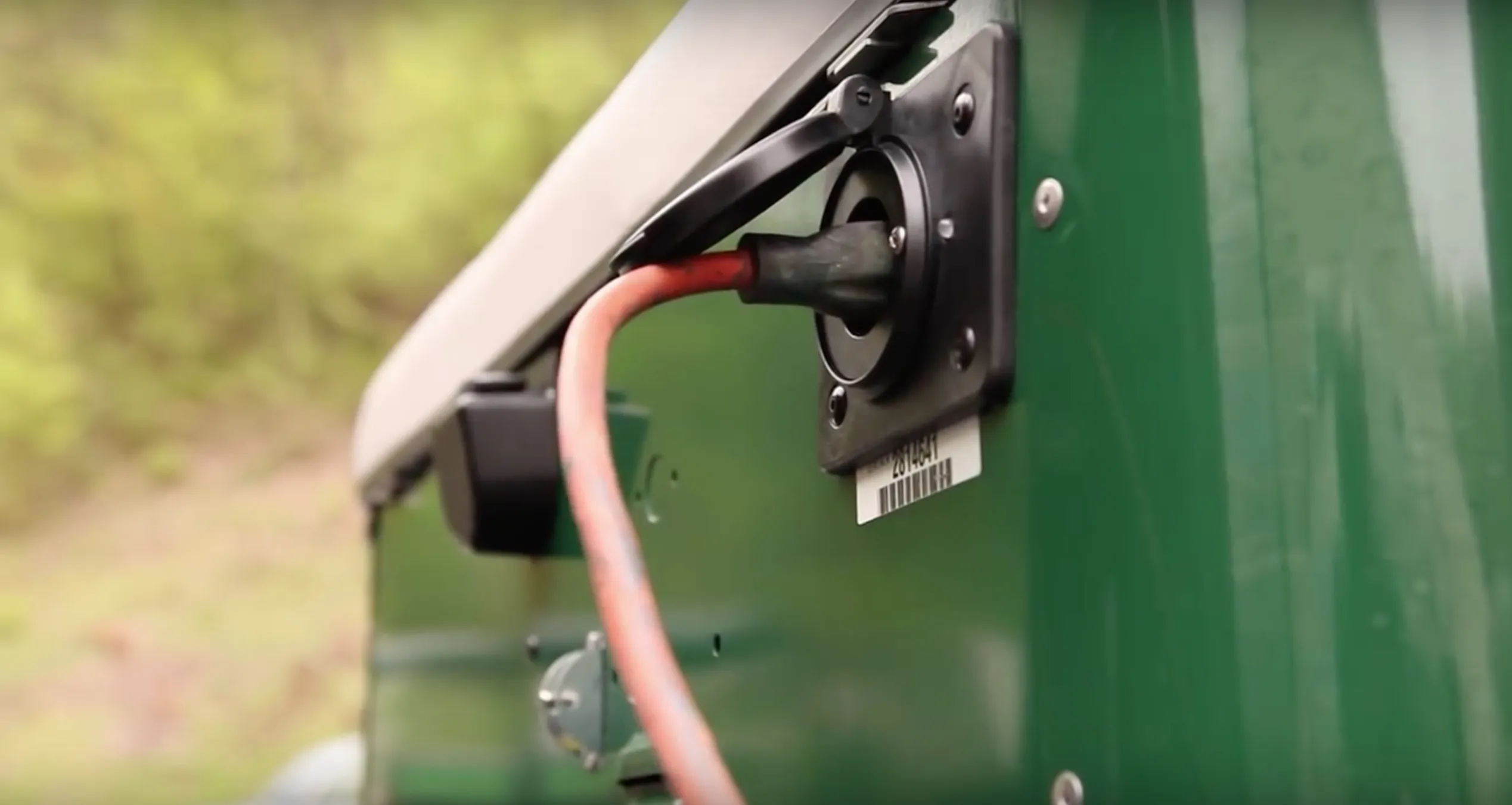
The charge port takes wear over time. A loose, burnt or corroded receptacle stops current even when the charger is healthy.
- Inspect the cart’s charge receptacle and the charger plug for melted, discolored or bent pins.
- Wiggle-test the plug for a loose fit. A receptacle that no longer grips firmly will charge intermittently or not at all.
- Check the wiring behind the receptacle for a loose or corroded connection.
The ICON charge receptacle sees a lot of plug and unplug cycles, and on the lithium models the port carries both power pins and smaller communication pins. Those signal pins are the ones that fail quietly. If a communication pin is bent, corroded, or pushed back in the housing, the power side can look perfect while the pack never gets the wake signal to start accepting charge. Shine a light into the receptacle and compare all the pins; any that sit lower than their neighbors or show green or white corrosion need attention. A receptacle that has run hot will show browned plastic around the main pins, which means resistance has been building and the port should be replaced before it melts. Reseat the plug firmly and listen for a positive click on carts that have a latching connector.
Rule Out a Lithium BMS Charge Lockout
This is the lithium-specific step. The BMS will refuse a charge if the pack is outside its safe window. A pack that is very cold (charging lithium below freezing is blocked on most BMS units), too hot, deeply discharged, or showing a cell imbalance will sit there not charging while everything else looks fine.
- Temperature: Move the cart somewhere warmer and retry. Many lithium packs will not accept charge below roughly freezing.
- Deep discharge: A pack left flat for a long time can need a special wake or recovery routine. See our ICON lithium battery and BMS guide.
Cell imbalance is the third BMS trigger owners overlook. Over months of use the individual cell groups can drift apart in voltage, and once one group nears its high or low limit the BMS blocks charging to protect it until the pack is balanced again. Leaving the cart plugged in on a healthy charger for an extended balancing session sometimes clears this, because the BMS will bleed the high cells down and let the rest catch up. A deeply discharged ICON pack, on the other hand, may have opened its main contactor entirely, and it can need the manufacturer wake procedure or a brief connection to a bench supply within the pack limits to bring the BMS back online. If the cart sat all winter with the key or an accessory slowly draining it, this deep-sleep lockout is the most likely reason it now refuses to charge.
Measure Pack Voltage and Charger Output
If the basics check out, measure. Read pack voltage at the terminals, then measure the charger’s DC output when it is plugged into the cart. No charger output with good wall power and a healthy handshake points to the charger; charger output present but the pack not rising points back to the BMS or a connection between the receptacle and the pack. A pack that reads sensible voltage but never climbs under charge is almost always a BMS lockout, not a dead pack.
Use a multimeter set to DC volts across the main pack terminals, then compare that reading to the charger output at the receptacle with the charger running. A full 48V ICON lithium pack rests near 52 to 54 volts, so a reading far below that with no charge accepted supports a BMS lockout rather than failed cells. If the charger shows no DC output at all while the wall power and handshake are good, the charger itself is the suspect and can be bench tested or swapped to confirm. Working charger to receptacle to pack in that order isolates the break in the chain and keeps you from replacing an expensive battery that was never actually dead.
To plan replacements and understand lithium charging costs, the charging time calculator shows expected hours and energy for your pack size.
An ICON that won’t charge is usually a charger, receptacle or BMS lockout, not a dead pack. Confirm wall power and charger status, inspect the receptacle and its communication pins, then rule out a lithium BMS lockout from cold, heat, deep discharge or imbalance. Measure charger to receptacle to pack before condemning the battery.
Frequently Asked Questions
Why won’t my ICON golf cart charge?
Usually it is the charger or its power source, a worn charge receptacle, or a lithium BMS that has locked out charging because the pack is too cold, too hot, deeply discharged, or out of balance. Check the outlet and charger first, then the receptacle, then the BMS condition.
Can a lithium ICON battery be too cold to charge?
Yes. Most lithium BMS units block charging below roughly freezing to protect the cells. Move the cart to a warmer space and try again; charging often resumes once the pack warms up.
How do I know if it is the charger or the battery?
Measure the charger’s DC output while it is plugged into the cart. No output with good wall power suggests the charger; output present but the pack voltage not rising points to a BMS lockout or a bad connection rather than the charger.