ICON Golf Cart Won’t Turn On (No Power): Fix
A completely dead ICON with no lights, no dash and no horn is a power-delivery problem. Here is how to trace it from the lithium pack back to the key circuit.

- A fully dead ICON, with no lights, dash or horn, has lost power somewhere between the lithium pack and the key circuit.
- Suspect the main disconnect and the lithium BMS first: a BMS in protective sleep opens the pack and kills every downstream circuit by design.
- An ICON runs its 12-volt accessories through a DC voltage reducer, so a failed reducer makes the whole cart look dead even with a healthy 48V pack.
- Loose or corroded main lugs can read voltage yet drop out under load. Check them before pricing a new pack or controller.
There is an important difference between an ICON that powers up but will not drive and one that is completely dead. A dead ICON, with no lights, no dash, and no horn, has lost power somewhere between the lithium pack and the key circuit. On a lithium cart the first thing to suspect is the battery management system or main disconnect, followed by fuses, the key switch and the pack itself. None of this requires guesswork; a multimeter and a few minutes isolate it.
Start at the Main Disconnect and the BMS
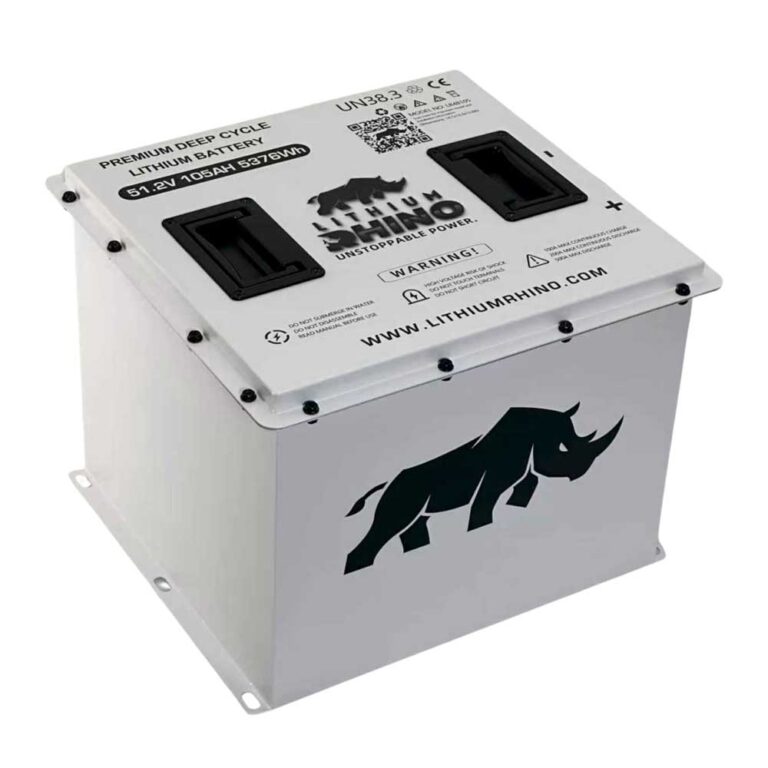
ICON has shipped the i20, i40 and i60 electric carts on the same 48V lithium platform since 2019, and the 2021-and-up models almost all carry a 105Ah LiFePO4 pack with an integrated BMS. That BMS is the single most common reason a late-model ICON goes stone dead. If the cart sits for several weeks, or if it was parked already low on charge, the BMS drops into a deep protective sleep and opens the pack contactor, which cuts every circuit downstream including the dash, lights and horn. This is by design, not a failure, and it is why a cart that was fine last month can be completely lifeless today.
- Main disconnect: Locate the disconnect switch (under the seat) and make sure it is fully ON.
- Wake the BMS: A lithium pack that has been sitting or was deeply discharged can put its BMS into a protective sleep. Plugging in the charger often wakes the BMS and brings the cart back to life. See our ICON battery and BMS guide.
Work Through the Fuses and Key Circuit
Here is the ICON-specific quirk that fools a lot of owners at this step. These carts run every 12-volt accessory through a DC voltage reducer (the converter) rather than off a dedicated 12V battery, so when that reducer fails the dash, headlights and horn all go dark at once even though the 48V pack is perfectly healthy. It looks exactly like a dead pack. Put your meter on the reducer output and confirm it is producing roughly 12 to 13 volts before you ever suspect the battery. A failed reducer is a cheap, common part on these carts and is far more likely than a bad lithium pack on a cart only a few years old.
- Check the main and accessory fuses for an open element. A blown fuse kills all 12-volt accessories at once.
- Test the key switch for continuity in the ON position. A failed key switch leaves the cart dark even with a healthy pack.
- Verify the 12-volt converter (voltage reducer) is outputting roughly 12 to 13 volts. No output here means no lights or dash.
Put a Meter on the Lithium Pack
Now confirm the pack itself. Measure voltage at the main pack terminals. A 48-volt lithium ICON should read in the high 40s to low 50s when healthy. A reading of zero at the pack terminals with the disconnect on usually means the BMS has opened the pack internally; point back to the disconnect and BMS step and charge it.
| Pack Reading | What It Means |
|---|---|
| High 40s to low 50s V | Pack is healthy but cart is dead: the fault is downstream in the fuses, the converter or the key circuit. |
| Zero or very low | The BMS has likely cut the pack. Charge it and re-measure; if it never recovers, the pack or BMS needs dealer service. |
For a guided check across any symptom, use our golf cart troubleshooter.
Hunt Down Loose Lugs and Corrosion
On the ICON platform the connections most likely to strand you are the main disconnect terminals under the seat and the controller B+ stud, both of which see the full pack current and both of which loosen over time from vibration on rough paths. A lug that is only finger-tight will still read voltage on a meter yet drop out under the load of trying to drive, which produces a cart that seems dead one minute and works the next. Torque the pack lugs and the B+ connection to spec, look for any terminal that is discolored blue or brown or feels warm after a short drive, and replace corroded ring terminals rather than just cleaning them. A single warm lug is often the whole fault, and it costs nothing to fix before you start pricing a new pack or controller.
A dead ICON means power is lost before the key circuit. Confirm the main disconnect, wake or test the lithium BMS with the charger, check the fuses and the 12-volt converter, then measure the pack before suspecting anything expensive. Torque and inspect the main lugs last.
Frequently Asked Questions
Why is my ICON golf cart completely dead?
A fully dead ICON has usually lost power at the main disconnect, the lithium BMS (which can sleep or trip), a blown fuse, the key switch, or the 12-volt converter. Start by confirming the disconnect is on and trying to wake the BMS with the charger.
How do I wake up a lithium battery on an ICON?
Plug in the charger. A lithium BMS that has gone into protective sleep from sitting or deep discharge will often wake and re-enable the pack once the charger applies voltage. If it never wakes, the pack or BMS needs dealer diagnosis.
Can a blown fuse make an ICON cart go completely dead?
Yes. A blown main or accessory fuse can kill the 12-volt system, taking out lights, the dash and the horn at once. Check the fuses before assuming a battery or controller problem.