Club Car Tempo Won’t Move: Diagnosis & Fix
When a Club Car Tempo won’t move but still has lights and power, the break is somewhere between the key switch and the motor. This guide tests the chain in the fastest order, with real Tempo-specific ERIC and solenoid data.
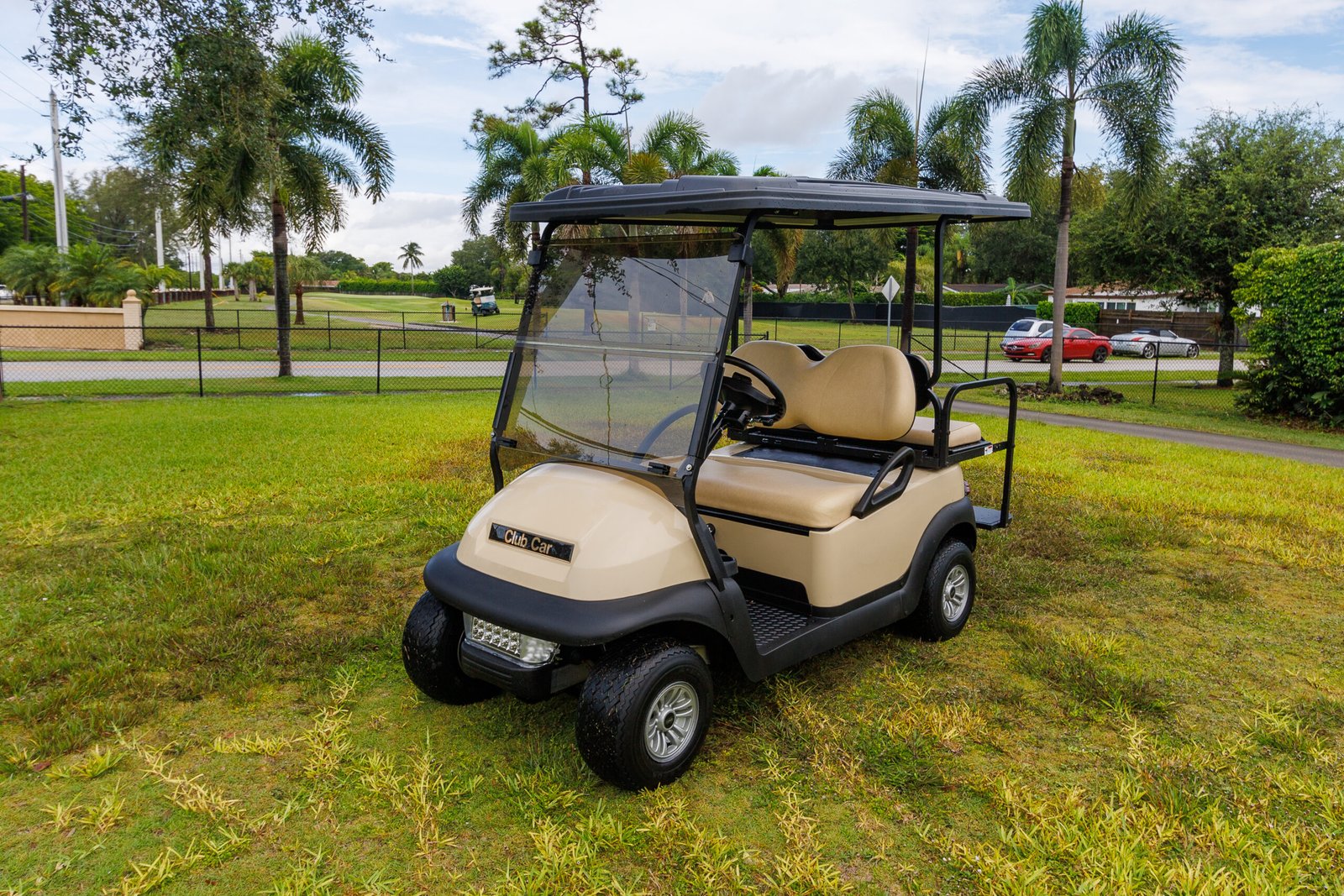
- Lights and power but no movement means the fault is in the high-current drive path, not the battery or key switch.
- The Tempo uses Club Car’s ERIC Charging System, not the older PowerDrive OBC, so old OBC-reset advice does not directly apply.
- Tempo solenoid coil resistance is 200-250 ohms (factory SOL5006) or 180-190 ohms (service replacement SOL0605); pre-charge resistor should read about 250 ohms.
- The tow/maintenance switch left in TOW is the single most common false alarm and costs nothing to check first.
The Club Car Tempo shares its drive architecture with the Precedent, so when a Tempo has accessories and power but won’t move, the diagnosis follows the same proven path: the fault sits in the high-current drive chain between the key switch and the motor. Work it in order, pack and connections, solenoid, controller diagnostics, forward/reverse switch, controller, and you’ll usually find the culprit in well under an hour with a multimeter.
Power In, No Drive: What That Means
A Tempo with working lights, horn, and key-on tone but no movement is the classic “power in, nothing out” pattern. Accessories prove the battery and key switch deliver voltage; the failure is downstream, in the heavy-current path that actually turns the motor. That single observation focuses the whole diagnosis on a short list of parts. If the cart is completely dead instead, no lights at all, that’s a different, power-supply problem.
Why a Club Car Tempo Won’t Move: The Drive Chain
The Tempo’s drive circuit is a chain: battery, key switch, Forward/Neutral/Reverse input, controller, solenoid, and motor. The important Tempo-specific correction is the charger/computer generation. Public Club Car Tempo service documentation labels the electric Tempo as an Electric Vehicle with ERIC Charging System, not the older PowerDrive OBC system used on many earlier Precedent and DS carts.
That matters because the manual’s ERIC section says the high-frequency charger is programmable by USB or laptop instead of changing the onboard computer, uses dV/dt charge termination instead of amp-hour returned termination, and does not use the old CDM display tool. The Tempo also uses controller diagnostic items such as CHARGER INHIBIT, MAIN CONT DRIVER, and LED DRIVER, so a charger-lockout or controller input problem is diagnosed through the controller and ERIC system rather than by assuming an old OBC reset will fix it. The companion Precedent no-power guide is still useful for the same signal-then-power logic, but do not treat every old Precedent OBC paragraph as Tempo-confirmed.
Step-by-Step Test
Lift the rear wheels safely, set the meter to DC volts, and walk the chain:
- Pack & connections. Confirm full pack voltage (~50.9V on a 48V Tempo) and wiggle every cable lug; one corroded connection can stop the cart while lights still work.
- Key switch output. Voltage in but none out means a bad key switch.
- Solenoid. Press the pedal and listen for the click; then test the contacts under load.
- F/R switch. Check for output in both Forward and Reverse positions.
- Controller. If voltage reaches it but nothing leaves toward the motor, and all upstream tests pass, suspect the controller.
Solenoid and ERIC
Test the solenoid first because it is cheap, common, and measurable. Club Car’s Tempo service manual says two solenoid versions may be found:
| Solenoid Version | Label | Coil Resistance |
|---|---|---|
| Factory-installed | SOL5006 | 200-250 ohms |
| Service replacement | SOL0605 | 180-190 ohms |
| Pre-charge resistor | across large posts | ~250 ohms (batteries disconnected, controller discharged) |
If the small-post coil reading is outside the correct range for the installed solenoid, replace it. The 2022 Tempo parts catalog also gives a concrete part reference: 102865901 Solenoid 48v Slot Mt No Diode, along with controller 103982301 listed as a 1515, 250A controller. Confirm by serial number before ordering. If the solenoid tests good and the Tempo still will not move, look for ERIC and controller lockout clues rather than assuming an old OBC failure. The Tempo manual’s troubleshooting path includes CHARGER INHIBIT, MAIN CONT DRIVER, MAIN CONT DNC, Forward/Neutral/Reverse input, MCOR voltage, motor speed sensor, and charger interlock tests.
Forward/Reverse Switch and Controller
The forward/reverse switch carries current every time you change direction and its contacts arc and burn over the years. If the cart is dead in one direction or both, test for switch output on the selected direction, full voltage in, near-zero out confirms burnt contacts. The controller is the last and most expensive suspect: if every upstream link tests good but the motor gets nothing, a controller that receives full voltage yet sends no output is the likely failure. For Tempo-specific wiring diagrams and identification, Club Car’s official manuals and support library is the authoritative source.
Bottom Line
A Club Car Tempo that won’t move is a chain-break problem on a familiar platform, with one real correction: it runs ERIC, not the old PowerDrive OBC. Confirm the pack and connections, test the solenoid against the real resistance specs, rule out ERIC/controller lockout, check the forward/reverse switch, and only then suspect the controller.
Confirm the tow/maintenance switch under the seat is in the RUN position; left in TOW, the Tempo will have full power and lights yet refuse to drive, and it is the single most common false alarm. Check that the brake is fully releasing and no warning is latched. Look for an obviously loose or corroded main battery lug. Press the pedal and listen: a crisp solenoid click sends you straight to the high-current path, while silence sends you upstream to the key switch, F/R selector, and ERIC/controller.
All of the checks above assume the fault is electrical. If the motor spins while the cart stays still, the electrical side has already proved itself and the break is mechanical, which is covered in the guide to a golf cart that will not move while the motor spins.
Frequently Asked Questions
Why won’t my Club Car Tempo move even though it has power?
Lights, horn, and a key-on tone prove the battery and key switch deliver voltage, so the fault is downstream in the high-current drive path: the solenoid, the controller diagnostics, the forward/reverse switch, or the controller itself. Work the chain from the battery outward with a multimeter.
Does the Club Car Tempo use the same OBC as the Precedent?
No. Club Car documents the electric Tempo as an Electric Vehicle with the ERIC Charging System, not the older PowerDrive OBC used on many earlier Precedent and DS carts. The ERIC charger is field-programmable and uses dV/dt charge termination instead of the old amp-hour-returned method, so old OBC-reset advice does not directly apply.
What is the most common false alarm on a Tempo that won’t move?
The tow/maintenance switch under the seat left in TOW instead of RUN. In TOW mode the Tempo has full power and lights but will not drive, and it is the single most common false alarm before any real diagnosis is needed.
What solenoid resistance should a Club Car Tempo have?
Club Car’s Tempo service manual lists two solenoid coil resistance ranges: 200 to 250 ohms for factory-installed solenoids (label SOL5006) and 180 to 190 ohms for service replacement solenoids (label SOL0605). The pre-charge resistor across the two large posts should read about 250 ohms with batteries disconnected and the controller discharged.